Canvas & Ratio
Choose your destination platform format
Layout Template
Choose a content structure for your slides
Preset Themes
Typography & Sizing
Brand Kit Customization
AGENCYConfigure brand assets for headers & footers
Outro Slide CTA
Customize your closing call-to-action slide
Background Pattern
Build Your Carousel
Drag and drop any post card below onto a slide, or use the quick buttons to insert content/images instantly!

Let's build a pipeline to evaluate and monitor a RAG application, using a 100% open-source tool:
Before we start here's a quick demo what we're building: Tech Stack: - @Cometml's Opik for eval and observability - @Llama_Index to build a RAG app Track everything from, LLM calls to chunking, embedding, generation and evaluation!

The architecture diagram presented below illustrates some of the key components & how they interact with each other! It will be followed by detailed descriptions & code for each component:
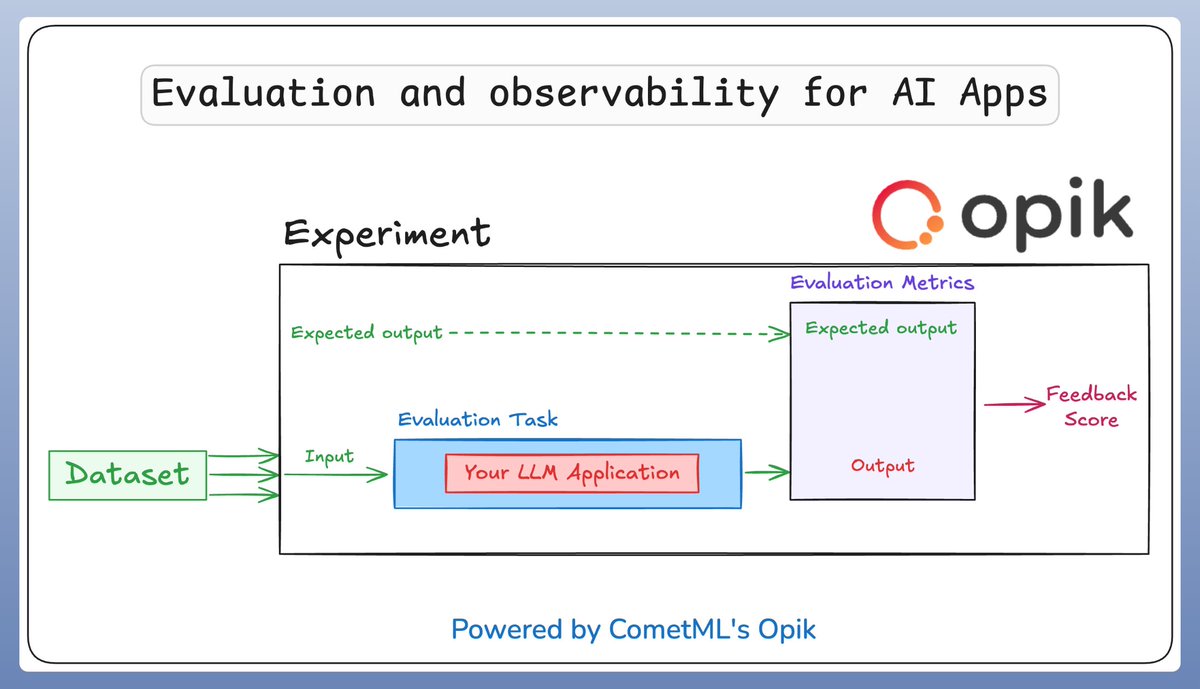
1️⃣ Configuration and setup First we configure everything to: - Trace all LLM calls - Trace all RAG steps Note: You can also easily use Ollama LLMs, i have shared example in the GitHub below. Fundamentals would still remain same.

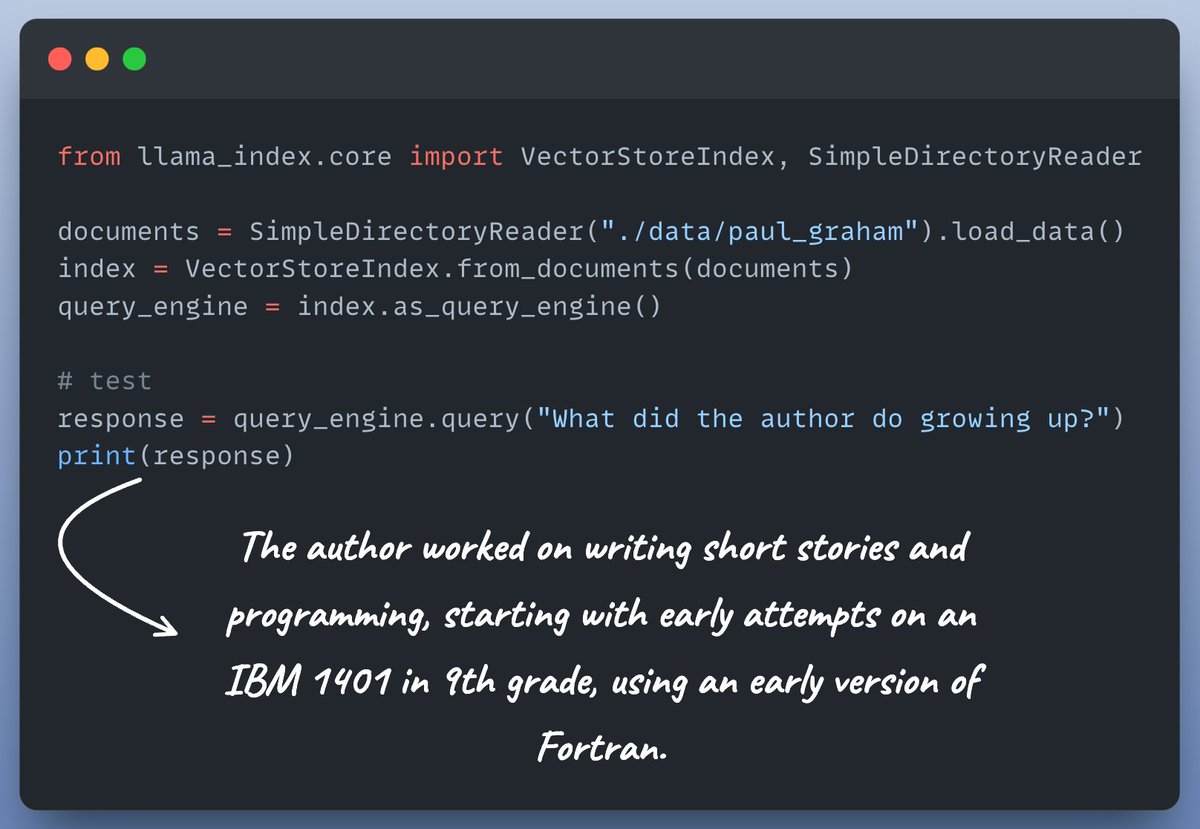
2️⃣ Create a simple RAG app This is more a didactic example, but you can always make it more sophisticated. Here's a simple RAG setup:
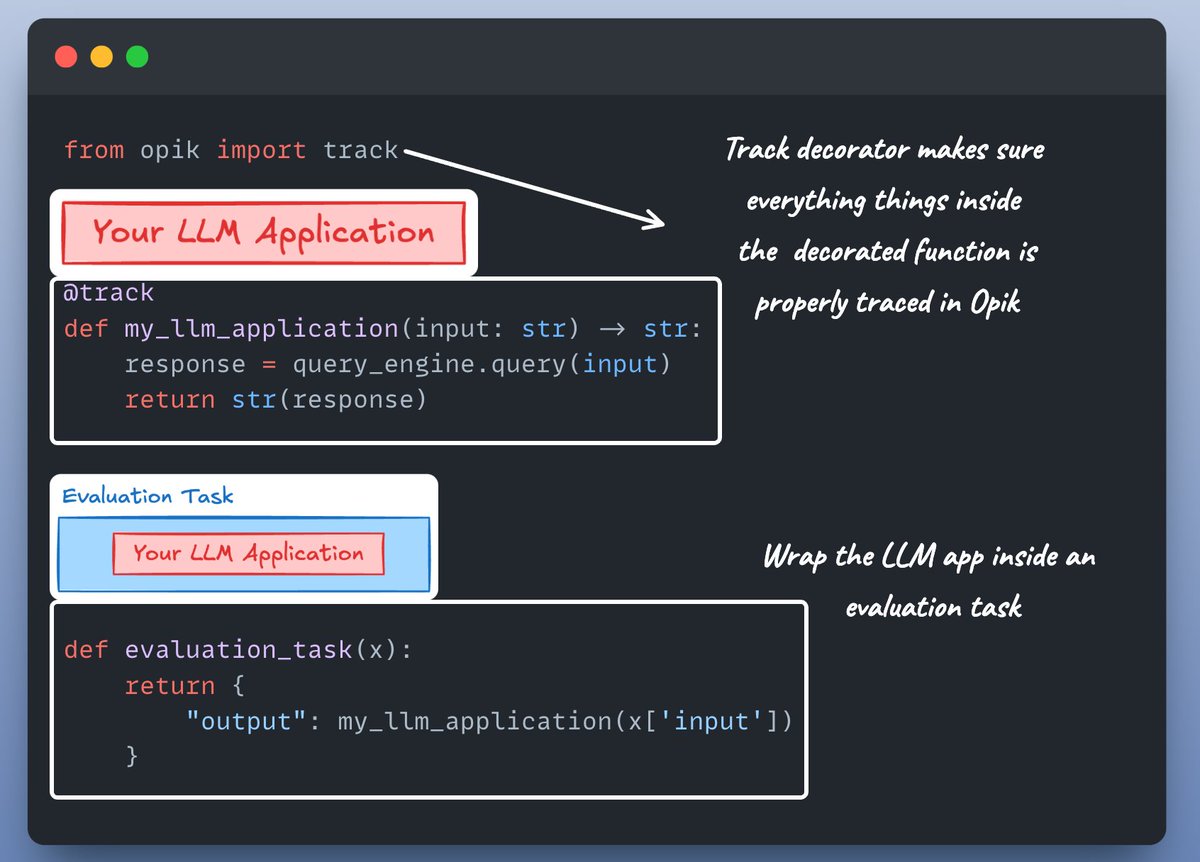
3️⃣ LLM app and Evaluation task Next we need to create an LLM application function and define an evaluation task. Here's how we do it...👇
4️⃣ Prep eval dataset We triples of the following: - Questions - Their answers - The relevant context for each QA pair Here's our sample dataset...👇

5️⃣ Load the dataset into Opik Next we load this dataset in Opik so that everything is tracked an can be used for evaluation. Check this out👇

6️⃣ Load the dataset into Opik Next we load this dataset in Opik so that everything is tracked an can be used for evaluation. Check this out👇

7️⃣ Define Evaluation metrics Opik provide out of the box for all the popular LLM/RAG evaluation metrics. Check this out👇

8️⃣ Evaluate Finally, it's time to put everything together and run evaluation. Check this out👇

You can find all the code and everything you need here! Don't forget to star the repo: <a target="_blank" href="https://github.com/patchy631/ai-engineering-hub/tree/main/eval-and-observability" color="blue">github.com/patchy631/ai-e…</a>
If you're interested in: - Python 🐍 - ML/AI Engineering ⚙️ Find me → @akshay_pachaar ✔️ Everyday, I share tutorials on above topics!