Canvas & Ratio
Choose your destination platform format
Layout Template
Choose a content structure for your slides
Preset Themes
Typography & Sizing
Brand Kit Customization
AGENCYConfigure brand assets for headers & footers
Outro Slide CTA
Customize your closing call-to-action slide
Background Pattern
Build Your Carousel
Drag and drop any post card below onto a slide, or use the quick buttons to insert content/images instantly!

Let's learn how to evaluate a RAG application (part 1): 1/n

To evaluate a typical RAG application, we need two things: - A set of questions - And ground truth answers for these questions Let's see how to do it automatically using ragas in this step-by-step guide that follows. 2/n

1️⃣ Loading Knowledge Base We load and chunk the raw data from which we will create our evaluation dataset: 3/n
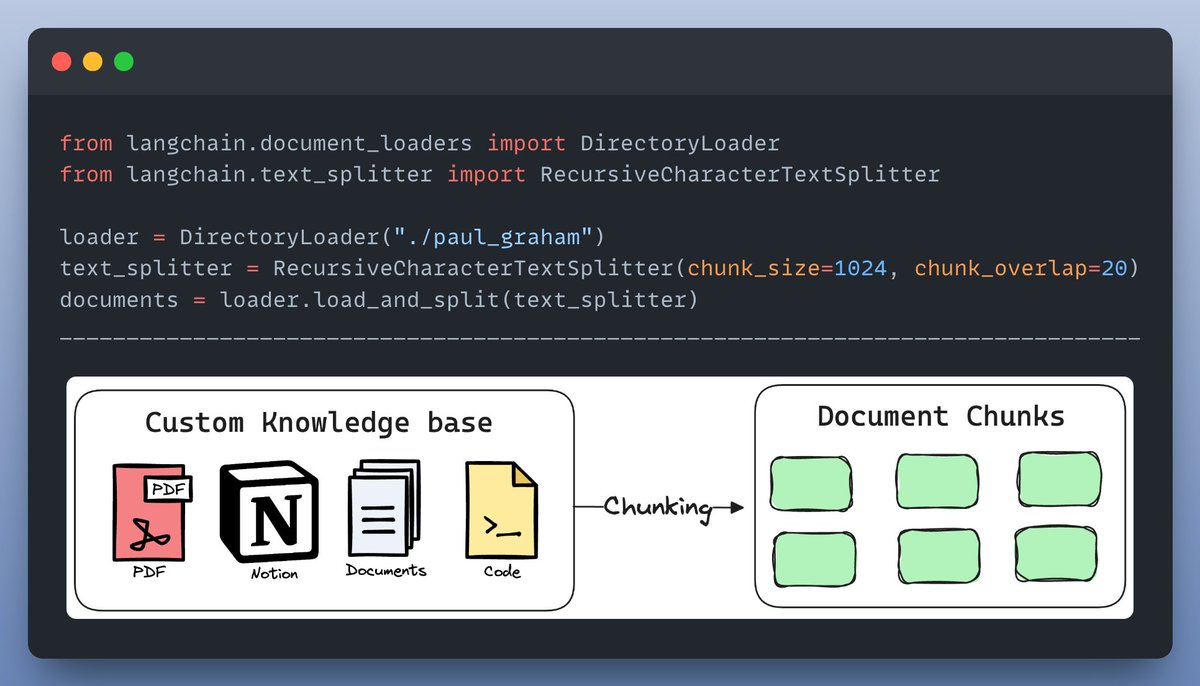
2️⃣ Loading the required models We will need three models here: - a generator model that generates the QA pairs - an embedding to generate embeddings from raw text - a critic model for validation the generation process. Here's how we load the three models: 4/n

3️⃣ Create the Ragas TestsetGenerator This generator includes all three models we previously defined. You can also customize the distribution of the generated QA pairs: - simple QA - reasoning-based - multi-context Check it out👇 5/n

4️⃣ Loading the data as a Pandas Dataframe You can load the data as a pandas df, analyse it & save it to use later. Check this out👇 6/n

I've published a @LightningAI Studio on this! You will find all the code & everything you need to run it! Clone a FREE studio now & take it for a spin... <a target="_blank" href="https://lightning.ai/lightning-ai/studios/generate-synthetic-data-for-rag-evaluation?utm_source=akshay" color="blue">lightning.ai/lightning-ai/s…</a> 7/n
If you interested in: - Python 🐍 - Machine Learning 🤖 - AI Engineering ⚙️ Find me → @akshay_pachaar ✔️ My weekly Newsletter on AI Engineering, Join 9k+ readers: @ML_Spring Cheers! 🥂 8/n