This is now also on the Claude Blog.
Markdown has become the dominant file format used by agents to communicate with us. It’s simple, portable, has some rich text capability and is easy for you to edit. Claude has even gotten surprisingly good at using ASCII to make diagrams inside of markdown files.

But as agents have become more and more powerful, I have felt that markdown has become a restricting format. I find it difficult to read a markdown file of more than a hundred lines. I want richer visualizations, color and diagrams and I want to be able to share them easily.
I'm also increasingly not editing these files myself, but using them as specs, reference files, brainstorming outputs, etc. When I do make edits, I’m usually prompting Claude to edit them, which removes one of markdown’s largest benefits.
I’ve started preferring HTML as an output format instead of Markdown and increasingly see this being used by others on the Claude Code team, this is why.
(if you want to start with some examples, you can see a bunch here: https://thariqs.github.io/html-effectiveness, just be sure to come back and read more about why)
# Why HTML?
## Information Density
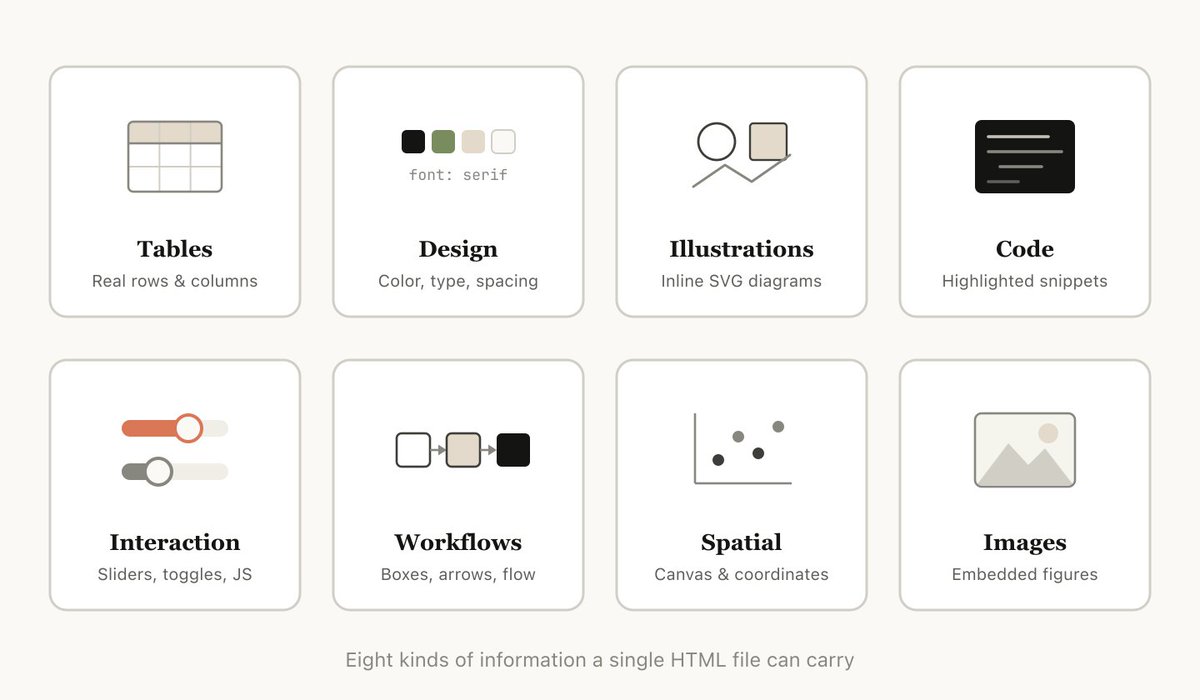
HTML can convey much richer information compared to markdown. It can of course do simple document structure like headers and formatting, but it can also represent all sorts of other information such as:
• Tabular data using tables
• Design data with CSS
• Illustrations with SVG
• Code snippets with script tags
• Interactions using HTML elements with javascript + CSS
• Workflows using SVG and HTML
• Spatial data using absolute positions and canvases
• Images using image tags
I would go so far as to say that there is almost no set of information that Claude can read that you cannot fairly efficiently represent with HTML. This makes it a highly efficient way for the model to communicate in-depth information to you and for you to review it.
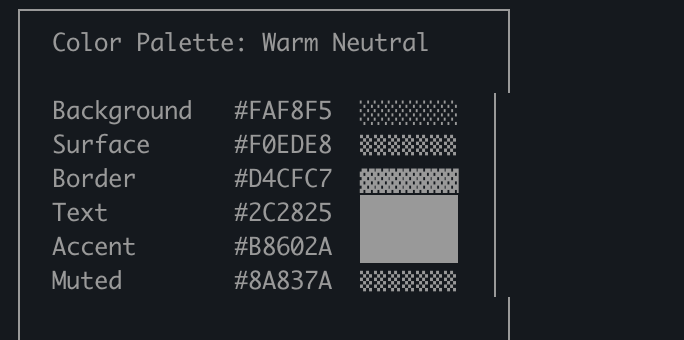
I’ve found that in the absence of being able to do this, the model may do more inefficient things in markdown like ASCII diagrams or, my favorite, estimating colors with unicode characters like in this screenshot from Claude Code.
Generated by Thread Navigator
Press ⌘ + S to quick-export