
claude cowork was launched 3 months ago, since then claude has shipped 50+ updates which has completely changed how I utilise cowork, here's how you can take advantage and master it:

claude cowork has changed how we do work. you hand it a task. it builds a plan. it executes. it delivers finished work into your folders while you do something else.
now a lot has changed since cowork was released, this guide will cover everything. so listen...
if you want to delegate entire workflows to an AI that actually executes them, keep reading. this article is for you my bro.
yes, I have taken my practice of using it over the last few months + researched what other people are also doing with their cowork, and then on top of that asked claude for extra suggestions to see if I was missing cool use-cases with the new updates.
in-fact, I have ensured that this acts as a complete course so if you've never even heard of claude or you're using it daily, this article will still be useful for you to master claude cowork.
---
## WHAT IS CLAUDE CO-WORK? (AND WHAT IT ISN'T)
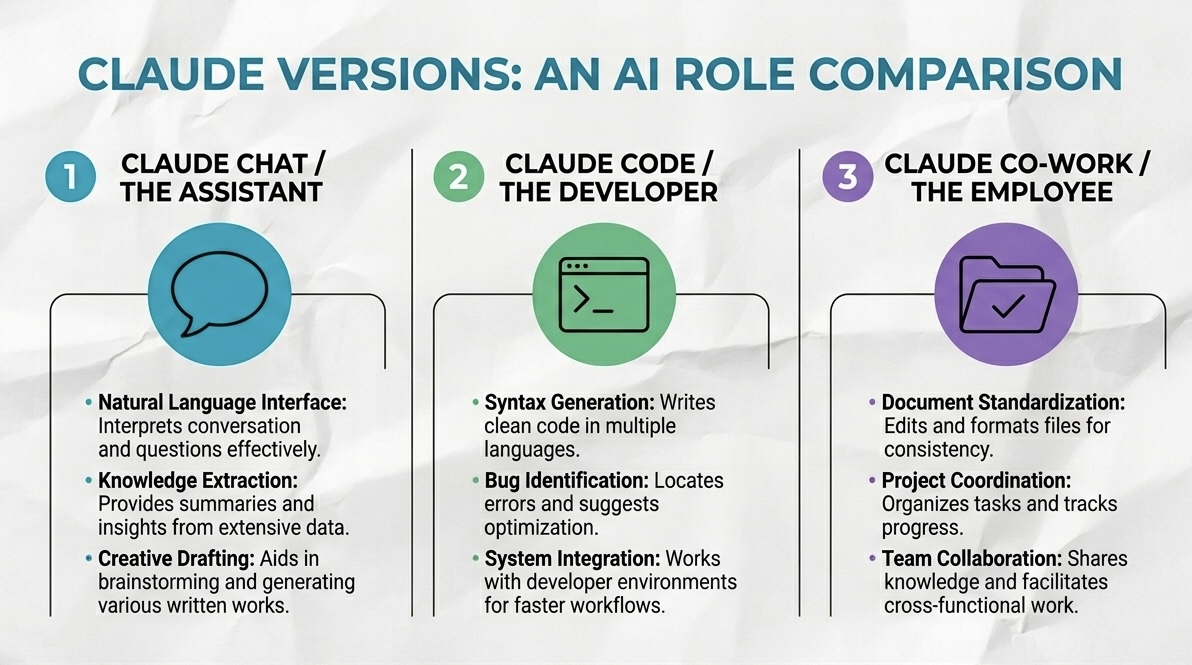
claude chat is the assistant. prompt in, answer out. you stay in the conversation the entire time. brilliant for brainstorming, drafting, quick thinking. you are always in the loop.
claude code is for developers. it fires up inside your computer's terminal, writes and executes actual code, manages github repositories. it can be wrapped in an IDE like google's anti-gravity, think of that as the iron man suit around the raw brain power. not built for non-technical operators.
claude co-work is the employee. non-technical interface, same autonomous execution engine as claude code underneath. you delegate a task, it breaks it into subtasks, spins up a virtual machine on your local drive, and drops the finished output into your folder while you step away.
chat is a conversation.
co-work is task delegation.
completely different relationship. completely different results. the moment that distinction lands, you'll look at co-work differently.
---
## SETTING IT UP:
co-work reads and writes files directly to your hard drive. handing it access to your entire system is how disasters happen.
contain it. here's how.
step 1 — choose your model.
Generated by Thread Navigator
Press ⌘ + S to quick-export