
if you're a performance marketer, here's how I use a custom Claude Cowork plugin to manage Google Ads at @AnthropicAI. it connects to the Google Ads API via MCP, encodes my common paid search workflows into skills, and works on desktop and Dispatch.
1) my plugin ships with a few skills, including mining for search terms, budget optimizations, weekly reviews, etc. each one is a structured prompt with specific steps, evaluation criteria, and output formats based on my personal working style.
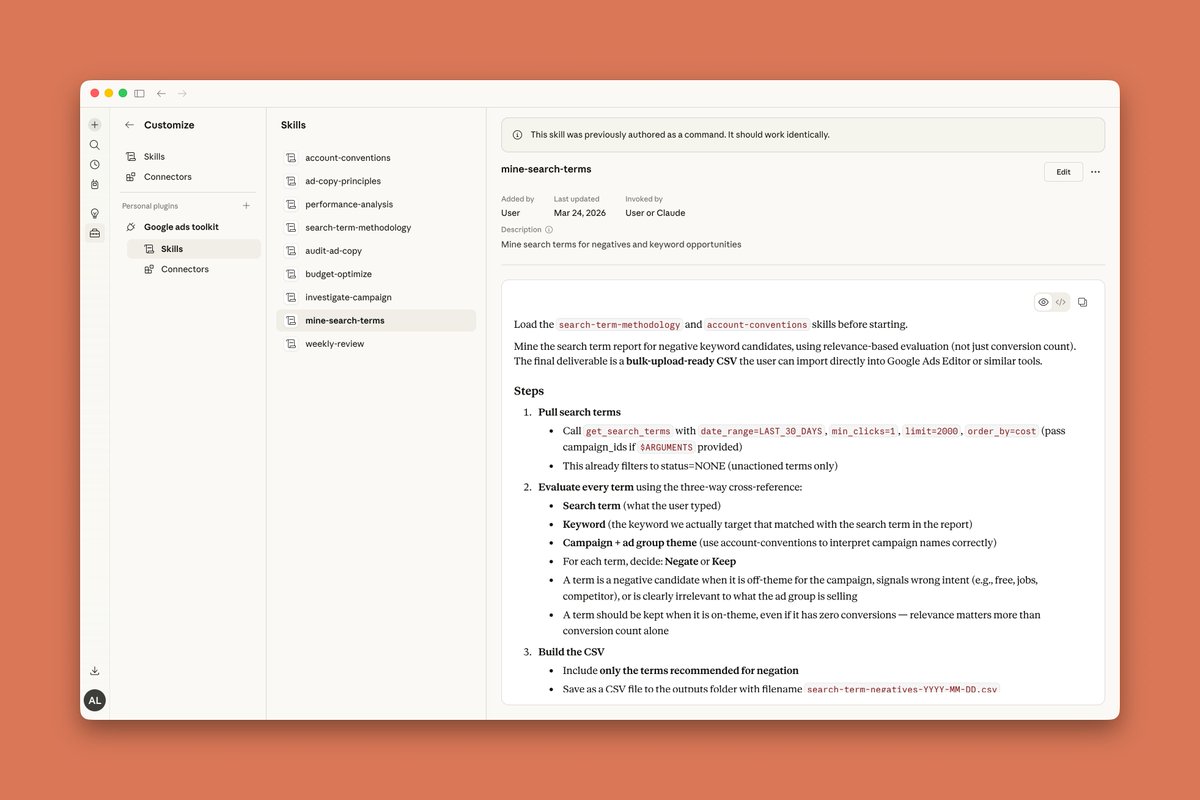
2) for example here's the search-term-methodology skill that contains instructions similar to what a paid search marketer would follow. eg filtering by add/excluded = none, sorting by spend desc to find the heavy hitters, and cross-referencing the search term with the keyword to understand relevancy.

3) and here's what the output looks like after running the mine-search-terms skill. Claude queries campaigns with GAQL via MCP, filters search terms based on our skill instructions, then evaluates every search term based on our other skill, search-term-methodology.
the summary shows the top spending negatives with reasoning, a breakdown by category (eg wrong intent, competitor brand, research-only, too generic), and a bulk-upload ready CSV since I use GA Editor heavily.
(this data is stubbed for the demo, these are not real campaigns)
the summary shows the top spending negatives with reasoning, a breakdown by category (eg wrong intent, competitor brand, research-only, too generic), and a bulk-upload ready CSV since I use GA Editor heavily.
(this data is stubbed for the demo, these are not real campaigns)


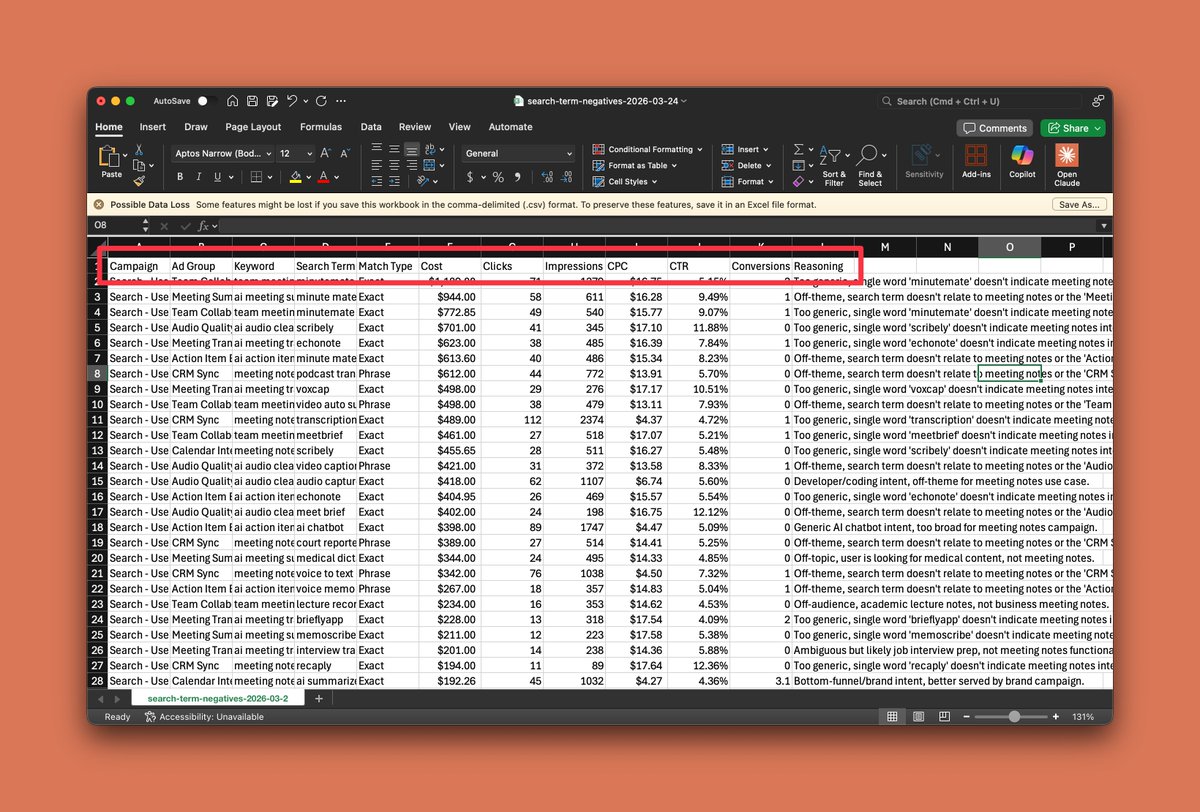
4) and here's the CSV opened (data is stubbed with fake outputs for illustration purposes). every row contains the campaign, ad group, keyword, search term, match type, performance metrics, and a reasoning column explaining why it was flagged.
this is important for auditability so that I can review the logic and override where needed, before anything is actually negated.
this is important for auditability so that I can review the logic and override where needed, before anything is actually negated.
5) assuming the negation logic all checks out, since we're hooked up to my Google Ads MCP directly, I can also tell Claude to add the negatives directly within chat as well. all mutations require explicit approval.

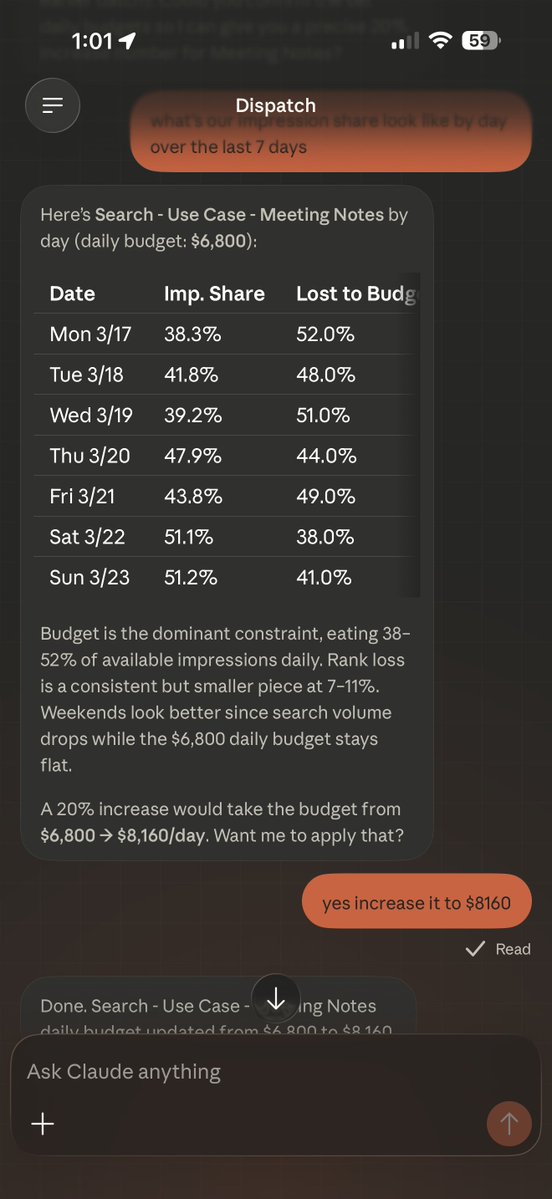
6) my Cowork plugin also extends to Dispatch on my phone. I can pull impression share by day (something the Google Ads mobile app doesn't support, among other things lol), get a budget recommendation, and apply it without opening my laptop.
basically full campaign management loops right from my phone.
basically full campaign management loops right from my phone.
hopefully this was helpful, would be interested in hearing what other marketing folks are building with Cowork.
Generated by Thread Navigator
Press ⌘ + S to quick-export