
It is often said in engineering that "Cache Rules Everything Around Me", and the same rule holds for agents.
Long running agentic products like Claude Code are made feasible by prompt caching which allows us to reuse computation from previous roundtrips and significantly decrease latency and cost.
What is prompt caching, how does it work and how do you implement it technically?
View Tweet
At Claude Code, we build our entire harness around prompt caching. A high prompt cache hit rate decreases costs and helps us create more generous rate limits for our subscription plans, so we run alerts on our prompt cache hit rate and declare SEVs if they're too low.
These are the (often unintuitive) lessons we've learned from optimizing prompt caching at scale.
## Lay Out Your Prompt for Caching
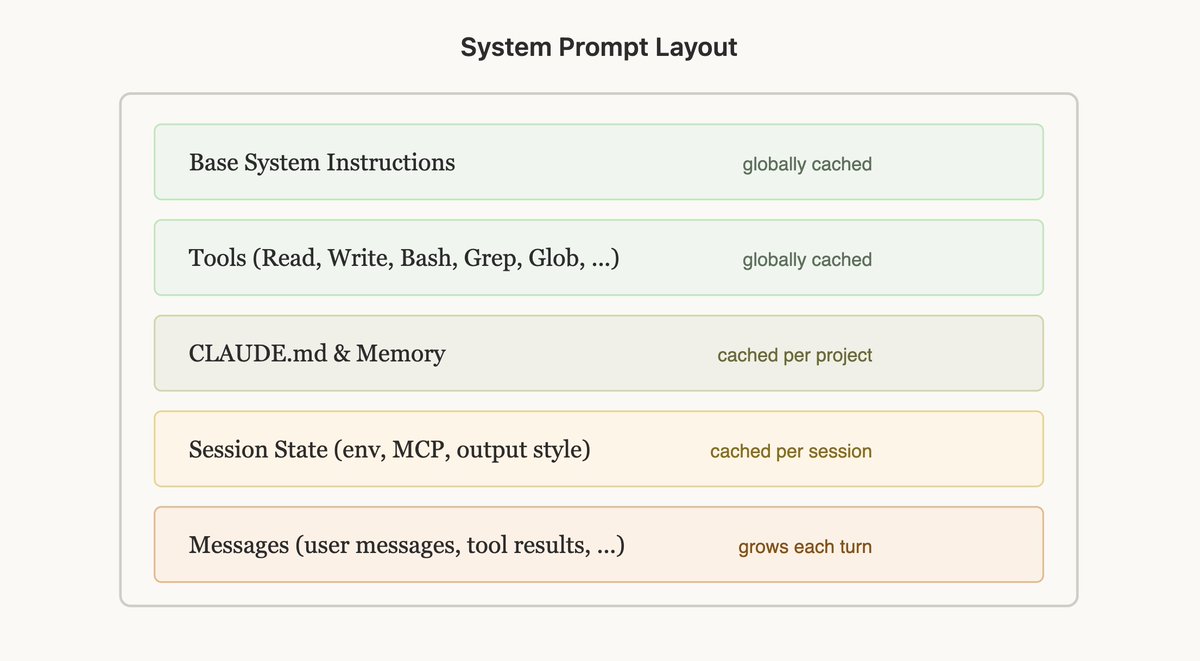
Prompt caching works by prefix matching — the API caches everything from the start of the request up to each cache_control breakpoint. This means the order you put things in matters enormously, you want as many of your requests to share a prefix as possible.
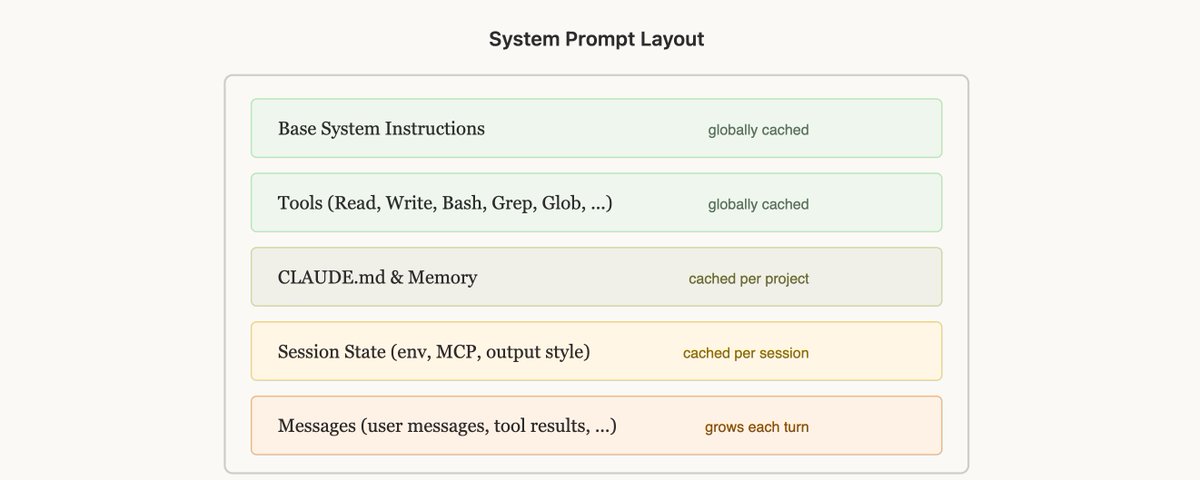
The best way to do this is static content first, dynamic content last. For Claude Code this looks like:
1. Static system prompt & Tools (globally cached)
1. Claude.MD (cached within a project)
1. Session context (cached within a session)
1. Conversation messages
This way we maximize how many sessions share cache hits.
But this can be surprisingly fragile! Examples of reasons we’ve broken this ordering before include: putting an in-depth timestamp in the static system prompt, shuffling tool order definitions non-deterministically, updating parameters of tools (e.g. what agents the AgentTool can call), etc.
## Use Messages for Updates
There may be times when the information you put in your prompt becomes out of date, for example if you have the time or if the user changes a file. It may be tempting to update the prompt, but that would result in a cache miss and could end up being quite expensive for the user.
Consider if you can pass in this information via messages in the next turn instead. In Claude Code, we add a <system-reminder> tag in the next user message or tool result with the updated information for the model (e.g. it is now Wednesday), which helps preserve the cache.
## Don't change Models Mid-Session
Prompt caches are unique to models and this can make the math of prompt caching quite unintuitive.
Generated by Thread Navigator
Press ⌘ + S to quick-export