
Let's build a real-time Voice RAG Agent, step-by-step:
Before we begin, here's a quick demo of what we're building
Tech stack:
- @Cartesia_AI for SOTA text-to-speech
- @AssemblyAI for speech-to-text
- @LlamaIndex to power RAG
- @livekit for orchestration
Let's go! 🚀
Tech stack:
- @Cartesia_AI for SOTA text-to-speech
- @AssemblyAI for speech-to-text
- @LlamaIndex to power RAG
- @livekit for orchestration
Let's go! 🚀

VIDEO
Here's an overview of what the app does:
1. Listens to real-time audio
2. Transcribes it via AssemblyAI
3. Uses your docs (via LlamaIndex) to craft an answer
4. Speaks that answer back with Cartesia
Now let's jump into code!
1. Listens to real-time audio
2. Transcribes it via AssemblyAI
3. Uses your docs (via LlamaIndex) to craft an answer
4. Speaks that answer back with Cartesia
Now let's jump into code!
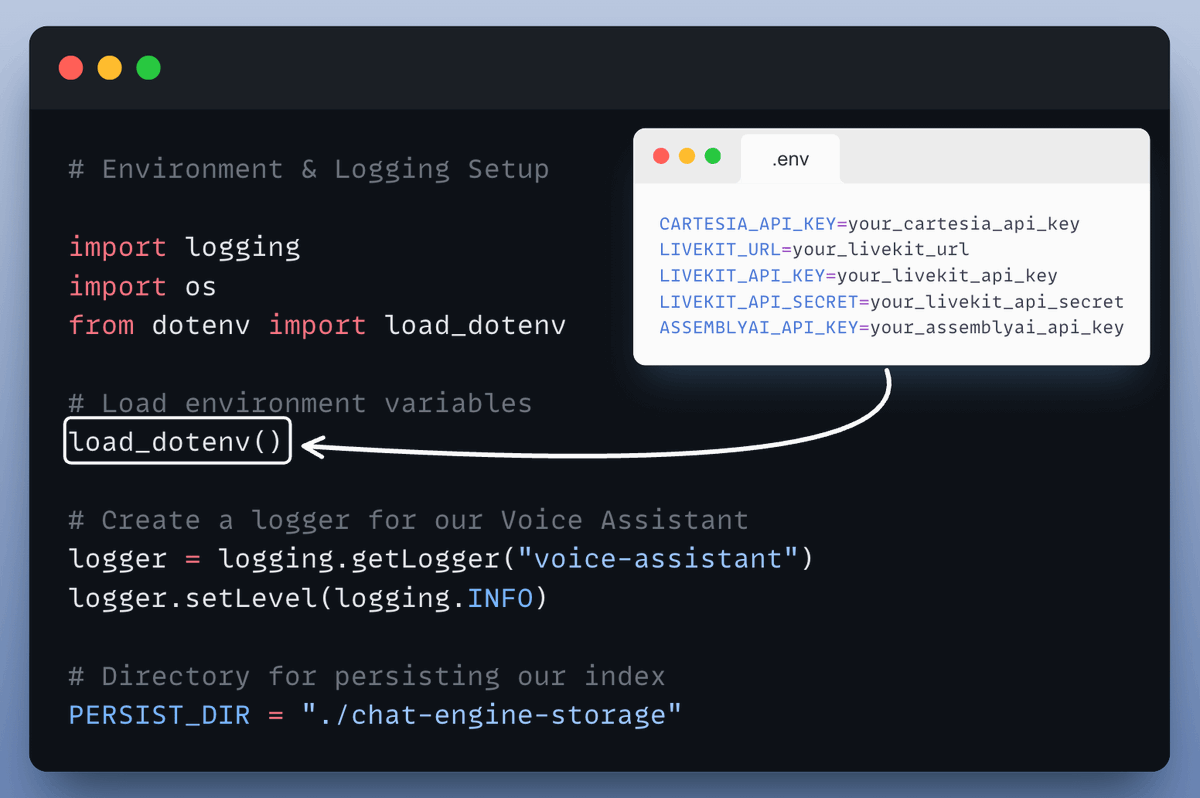
1️⃣ Set up environment and logging
This ensures we can load configurations from .env and keep track of everything in real time.
Check this out👇
This ensures we can load configurations from .env and keep track of everything in real time.
Check this out👇
2️⃣ Setup RAG
This is where your documents get indexed for search and retrieval, powered by LlamaIndex.
The agents answers would be grounded to this knowledge base.
Check this out👇
This is where your documents get indexed for search and retrieval, powered by LlamaIndex.
The agents answers would be grounded to this knowledge base.
Check this out👇

3️⃣ Setup Voice Activity Detection
We also want Voice Activity Detection (VAD) for smooth real-time experience—so we’ll “prewarm” the Silero VAD model.
This helps us detect when someone is actually speaking.
Check this out👇
We also want Voice Activity Detection (VAD) for smooth real-time experience—so we’ll “prewarm” the Silero VAD model.
This helps us detect when someone is actually speaking.
Check this out👇

4️⃣ The VoicePipelineAgent and Entry Point
This is where we bring it all together. The agent:
1. Listens to real-time audio.
2. Transcribes it using AssemblyAI.
3. Crafts an answer with your documents via LlamaIndex.
4. Speaks that answer back using Cartesia.
Check this out 👇
This is where we bring it all together. The agent:
1. Listens to real-time audio.
2. Transcribes it using AssemblyAI.
3. Crafts an answer with your documents via LlamaIndex.
4. Speaks that answer back using Cartesia.
Check this out 👇

5️⃣ Run the app
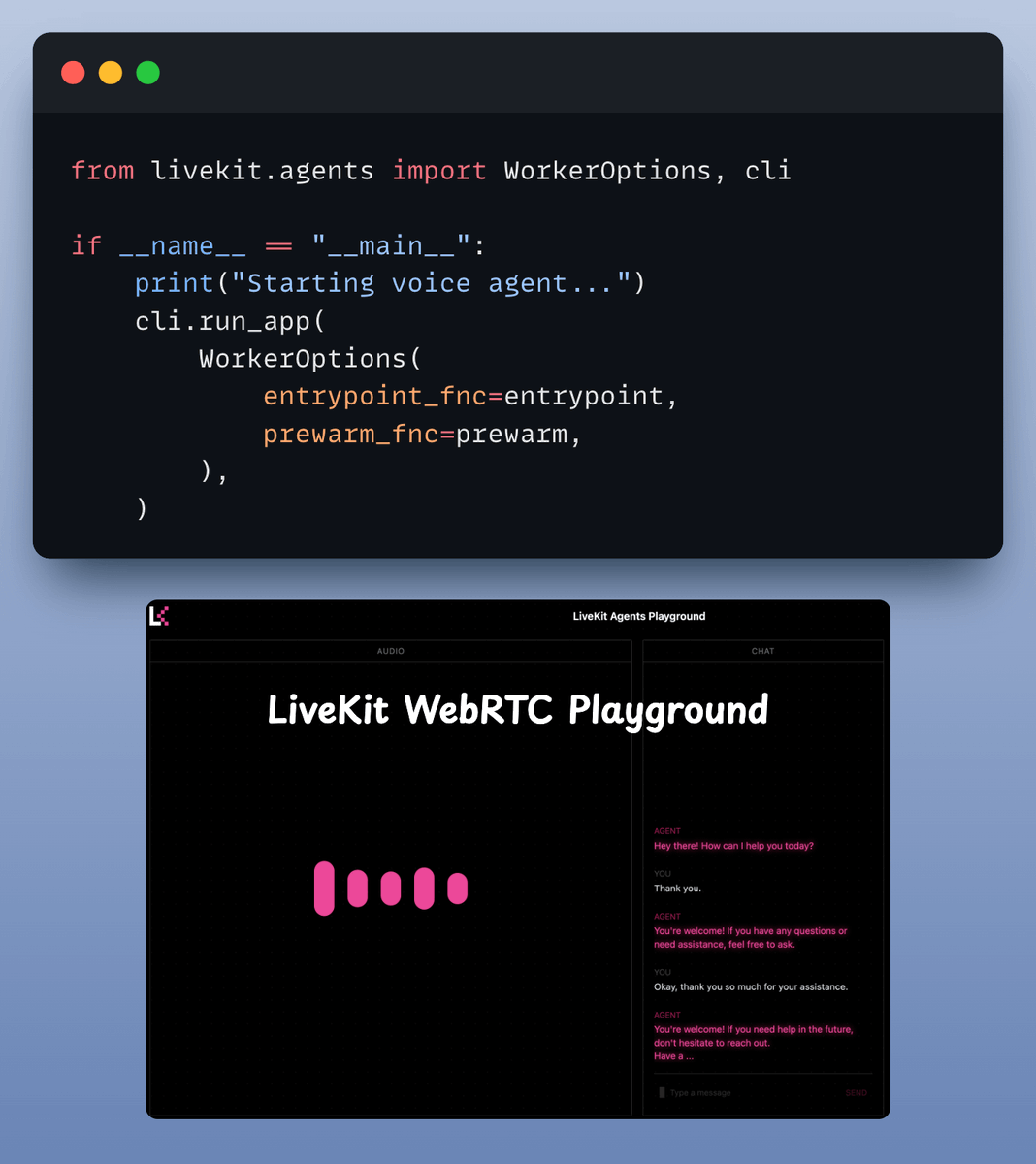
Finally, we tie it all together. We run our agent with, specifying the prewarm function and main entrypoint.
That’s it—your Real-Time Voice RAG Agent is ready to roll!
Finally, we tie it all together. We run our agent with, specifying the prewarm function and main entrypoint.
That’s it—your Real-Time Voice RAG Agent is ready to roll!
That's a wrap!
If you enjoyed this breakdown:
Follow me → @akshay_pachaar ✔️
Every day, I share insights and tutorials on LLMs, AI Agents, RAGs, and Machine Learning!
If you enjoyed this breakdown:
Follow me → @akshay_pachaar ✔️
Every day, I share insights and tutorials on LLMs, AI Agents, RAGs, and Machine Learning!
Generated by Thread Navigator
Press ⌘ + S to quick-export