
Let's build a RAG app over audio files with DeepSeek-R1 (running locally):
Before we begin, here's a quick demo of what we're building!
We will use:
- @AssemblyAI for transcribing audio files.
- @qdrant_engine for the vector database.
- @llama_index for orchestration.
- DeepSeek-R1 as the LLM.
Let's dive in!
We will use:
- @AssemblyAI for transcribing audio files.
- @qdrant_engine for the vector database.
- @llama_index for orchestration.
- DeepSeek-R1 as the LLM.
Let's dive in!

VIDEO
Here's an overview of our app:
• 1) Takes an audio file and transcribes it using @AssemblyAI.
• 2-3) Stores it in a Qdrant vector database.
• 4-6) Queries the database to get context.
• 7-8) Uses DeepSeek-R1 as the LLM to generate a response.
Now let's jump into code!
• 1) Takes an audio file and transcribes it using @AssemblyAI.
• 2-3) Stores it in a Qdrant vector database.
• 4-6) Queries the database to get context.
• 7-8) Uses DeepSeek-R1 as the LLM to generate a response.
Now let's jump into code!
0️⃣ Get the API key
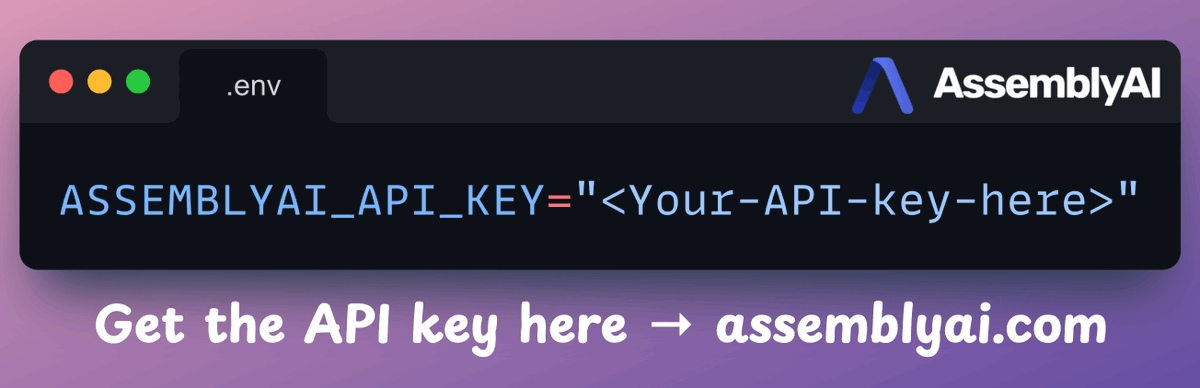
To transcribe audio files, get an API key from AssemblyAI and store it in the `.env` file:
To transcribe audio files, get an API key from AssemblyAI and store it in the `.env` file:
1️⃣ Transcription
We use AssemblyAI to transcribe audio with speaker labels. To do this:
- We set up the transcriber object.
- We enable speaker label detection in the config.
- We transcribe the audio using AssemblyAI.
Check this code👇
We use AssemblyAI to transcribe audio with speaker labels. To do this:
- We set up the transcriber object.
- We enable speaker label detection in the config.
- We transcribe the audio using AssemblyAI.
Check this code👇

2️⃣ Embed transcripts and store them in a vector database:
To do this, we:
- Load the embedding model and generate embeddings.
- Connect to Qdrant and create a collection.
- Store the embeddings
Look at this implementation👇
To do this, we:
- Load the embedding model and generate embeddings.
- Connect to Qdrant and create a collection.
- Store the embeddings
Look at this implementation👇

3️⃣ Retrieval
Now, we query the vector database to retrieve sentences in the transcripts that are similar to the query:
- Convert the query into an embedding.
- Search the vector database.
- Retrieve the top results.
Here's the code 👇
Now, we query the vector database to retrieve sentences in the transcripts that are similar to the query:
- Convert the query into an embedding.
- Search the vector database.
- Retrieve the top results.
Here's the code 👇

4️⃣ Generate response
Finally, after retrieving the context:
- We construct a prompt.
- We use DeepSeek-R1 through @ollama to generate a response.
Look at this implementation👇
Finally, after retrieving the context:
- We construct a prompt.
- We use DeepSeek-R1 through @ollama to generate a response.
Look at this implementation👇

5️⃣ Streamlit UI
To make this accessible, we wrap the entire app in a @Streamlit interface.
It’s a simple UI where you can upload and chat with the audio file directly.
Here's the demo again👇
To make this accessible, we wrap the entire app in a @Streamlit interface.
It’s a simple UI where you can upload and chat with the audio file directly.
Here's the demo again👇

VIDEO
That's a wrap!
If you enjoyed this tutorial:
Find me → @_avichawla
Every day, I share tutorials and insights on DS, ML, LLMs, and RAGs.
If you enjoyed this tutorial:
Find me → @_avichawla
Every day, I share tutorials and insights on DS, ML, LLMs, and RAGs.
Generated by Thread Navigator
Press ⌘ + S to quick-export