
Let's fine-tune DeepSeek-R1 (distilled Llama) 100% locally:
Before we begin, here's what we'll be doing.
We'll fine-tune our private and locally running DeepSeek-R1 (distilled Llama variant).
To do this, we'll use:
- @UnslothAI for efficient fine-tuning.
- @ollama to run it locally.
Let's begin!
We'll fine-tune our private and locally running DeepSeek-R1 (distilled Llama variant).
To do this, we'll use:
- @UnslothAI for efficient fine-tuning.
- @ollama to run it locally.
Let's begin!

VIDEO
1) Load the model
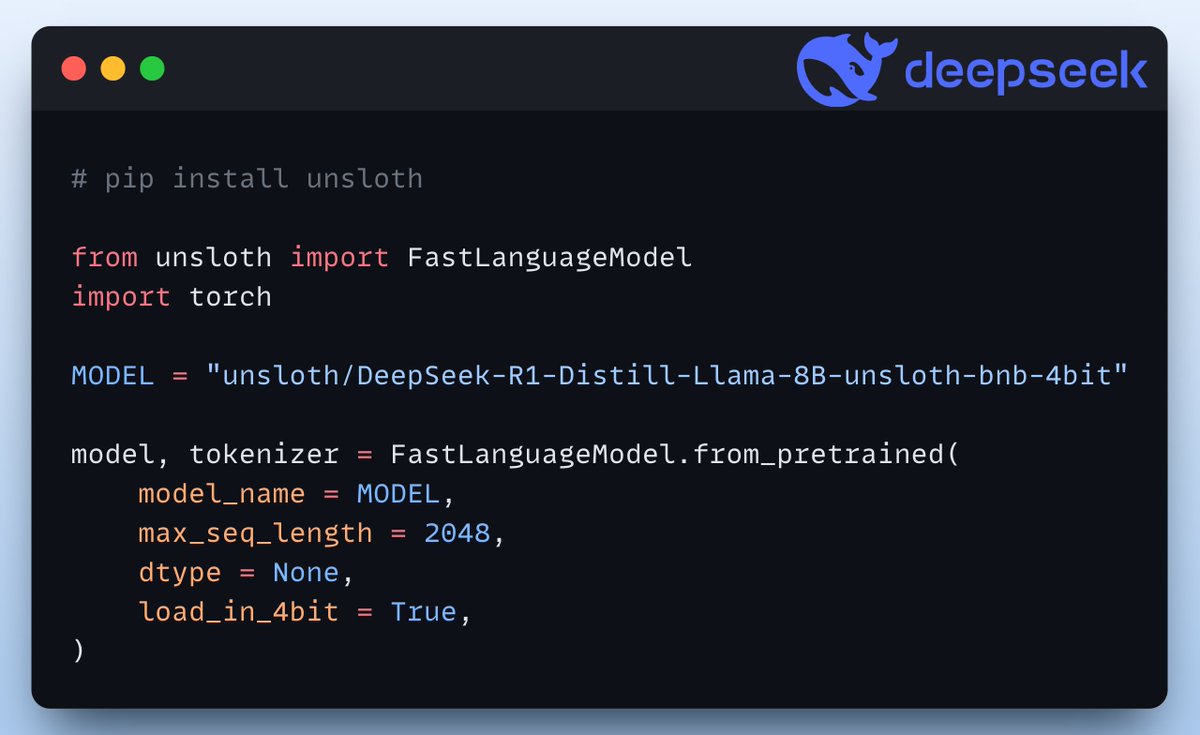
We start by loading the Distilled Llama-8B model and the tokenizer of DeepSeek-R1 using Unsloth:
We start by loading the Distilled Llama-8B model and the tokenizer of DeepSeek-R1 using Unsloth:
2) Define LoRA config
We must use efficient techniques like LoRA to avoid fine-tuning the entire model weights.
In this code, we use Unsloth's PEFT by specifying:
- The model
- LoRA low-rank (r)
- Modules for fine-tuning
- and a few more parameters.
We must use efficient techniques like LoRA to avoid fine-tuning the entire model weights.
In this code, we use Unsloth's PEFT by specifying:
- The model
- LoRA low-rank (r)
- Modules for fine-tuning
- and a few more parameters.

3) Prepare dataset
Next, we use the Alpaca dataset to prepare a conversation dataset.
The conversation_extension parameter defines the number of user messages in a single conversation.
Next, we use the Alpaca dataset to prepare a conversation dataset.
The conversation_extension parameter defines the number of user messages in a single conversation.

4) Define Trainer
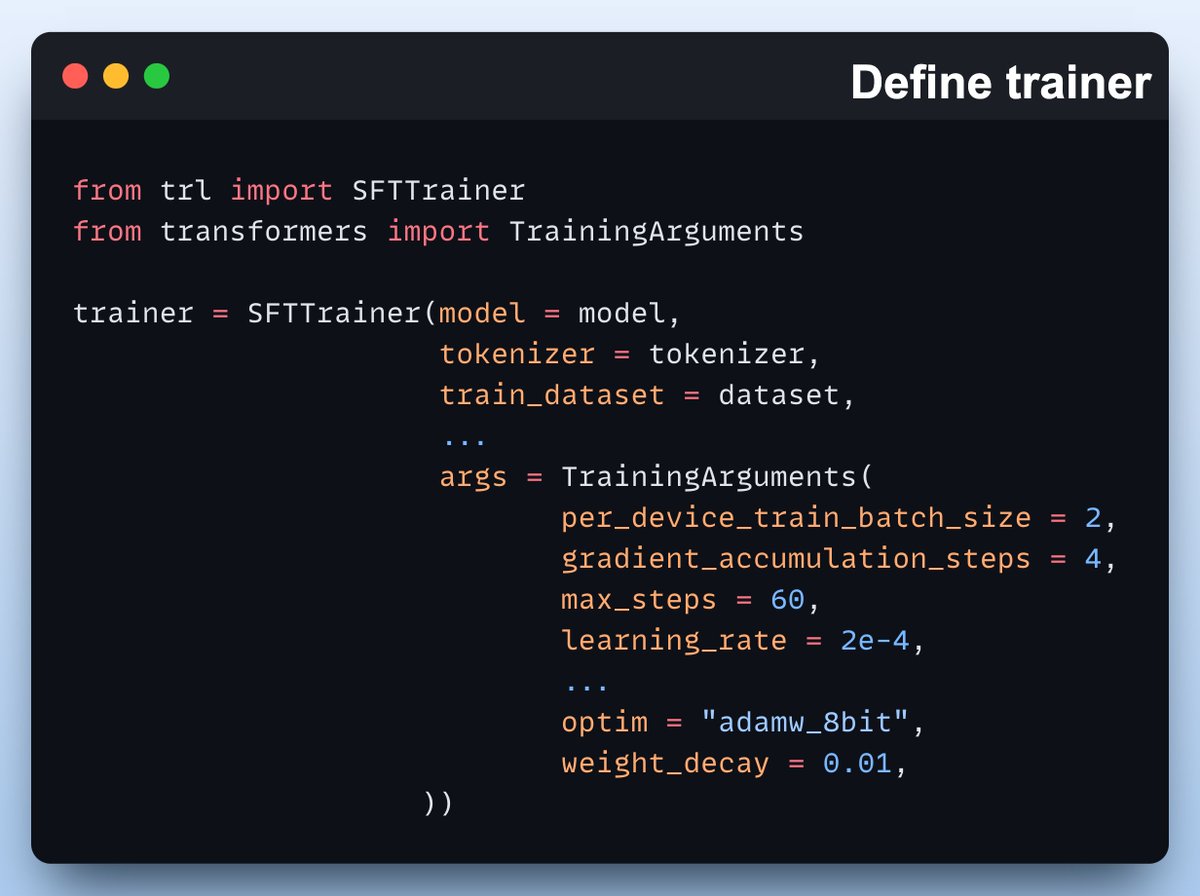
Here, we create a Trainer object by specifying the training config like learning rate, model, tokenizer, and more.
Check this out👇
Here, we create a Trainer object by specifying the training config like learning rate, model, tokenizer, and more.
Check this out👇
5) Train
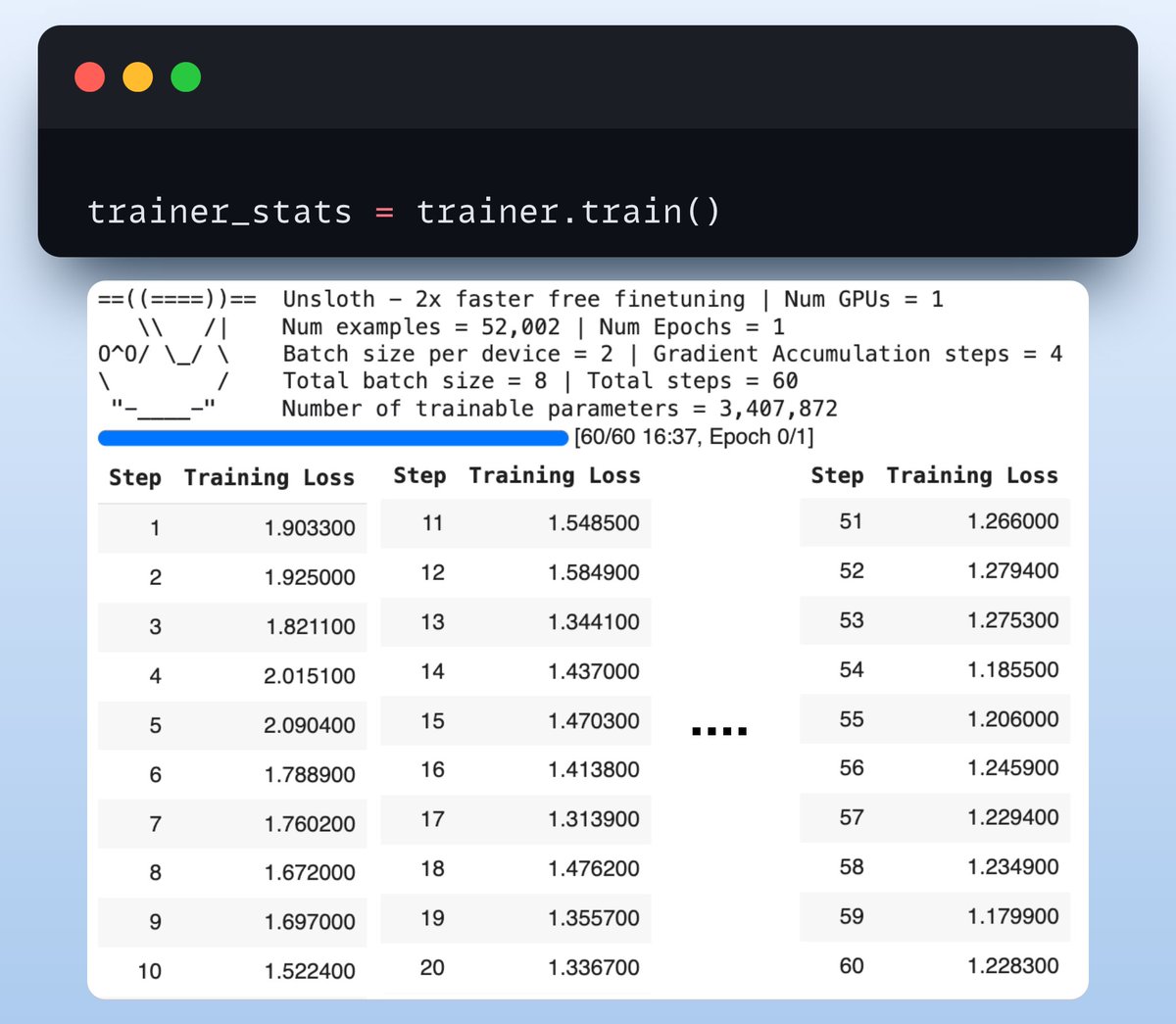
With that done, we initiate training. We notice a decreasing loss, which means the model is fine-tuning well.
Check this code and output👇
With that done, we initiate training. We notice a decreasing loss, which means the model is fine-tuning well.
Check this code and output👇
6) Export to Ollama
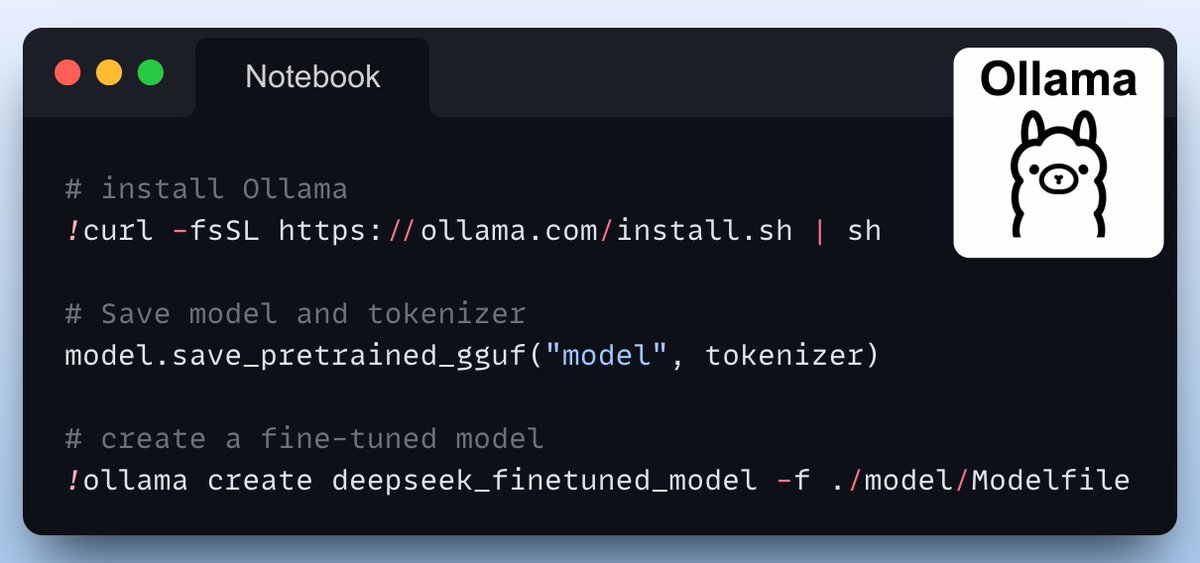
Finally, we export the model to Ollama as follows.
Done!
Finally, we export the model to Ollama as follows.
Done!
We have fine-tuned DeepSeek (distilled Llama).
Now we can interact with it like any other model running on Ollama using:
- The CLI
- Ollama's Python package
- Ollama's LlamaIndex integration, etc.
Now we can interact with it like any other model running on Ollama using:
- The CLI
- Ollama's Python package
- Ollama's LlamaIndex integration, etc.

That's a wrap!
If you enjoyed this tutorial:
Find me → @_avichawla
Every day, I share tutorials and insights on DS, ML, LLMs, and RAGs.
If you enjoyed this tutorial:
Find me → @_avichawla
Every day, I share tutorials and insights on DS, ML, LLMs, and RAGs.
Generated by Thread Navigator
Press ⌘ + S to quick-export