In my 8 years trading crypto
This system has found me the most profitable altcoins. Some of those have even gone 100X
2025 Altcoin Discovery System:

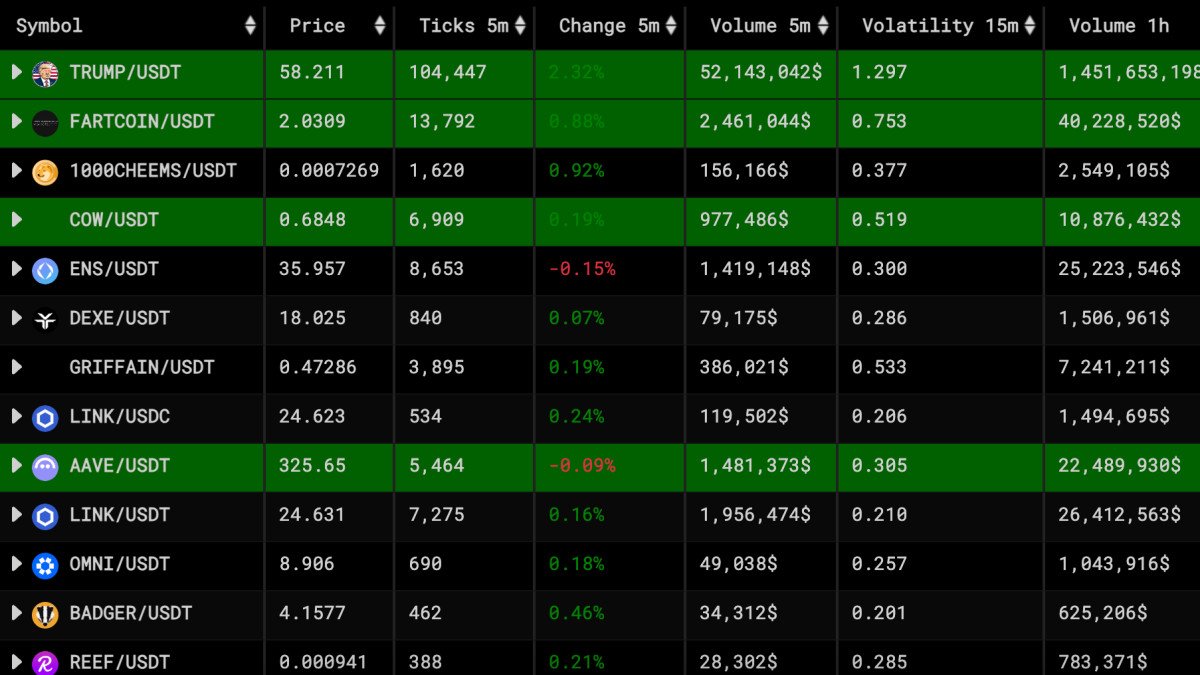
Without an altcoin scanner, you will
-Have to manually find coins to trade
-Miss multiple 10-20X gains in bull runs
-Get stuck in boring/ slow coins while everything else pumps
So let's get your own scanning system setup:
-Have to manually find coins to trade
-Miss multiple 10-20X gains in bull runs
-Get stuck in boring/ slow coins while everything else pumps
So let's get your own scanning system setup:
The start of your trading session decides your performance.
Most traders:
-Open TradingView
-Pick random coins from a watchlist
-Chart them
-Search for setups (if none, check lower timeframes)
-Execute trades
This wastes time in a bull market where you need to act fast.
Most traders:
-Open TradingView
-Pick random coins from a watchlist
-Chart them
-Search for setups (if none, check lower timeframes)
-Execute trades
This wastes time in a bull market where you need to act fast.
You need to start with a Market Scanner.
I like Orion Terminal but there are other great options like CoinGecko or CoinMarketCap.
This allows you to find volatile coins automatically and saves time spent on manual scanning.
I like Orion Terminal but there are other great options like CoinGecko or CoinMarketCap.
This allows you to find volatile coins automatically and saves time spent on manual scanning.
1. Filter by ticks
I use this for scanning coins to scalp trade.
This sorts coins with the highest ticks first. You can also filter by volume, volatility, price change, OI change, etc. - Depending on your strategy.
I use this for scanning coins to scalp trade.
This sorts coins with the highest ticks first. You can also filter by volume, volatility, price change, OI change, etc. - Depending on your strategy.

You can even filter coins by the largest % change in the last 1D
This will help you find coins that are hot on your 𝕏 timeline and only trade assets with high volume and momentum behind them.
It's important to pick the right filters. I recommend using Volume as a filter.
This will help you find coins that are hot on your 𝕏 timeline and only trade assets with high volume and momentum behind them.
It's important to pick the right filters. I recommend using Volume as a filter.

2. Create a Daily Watchlist
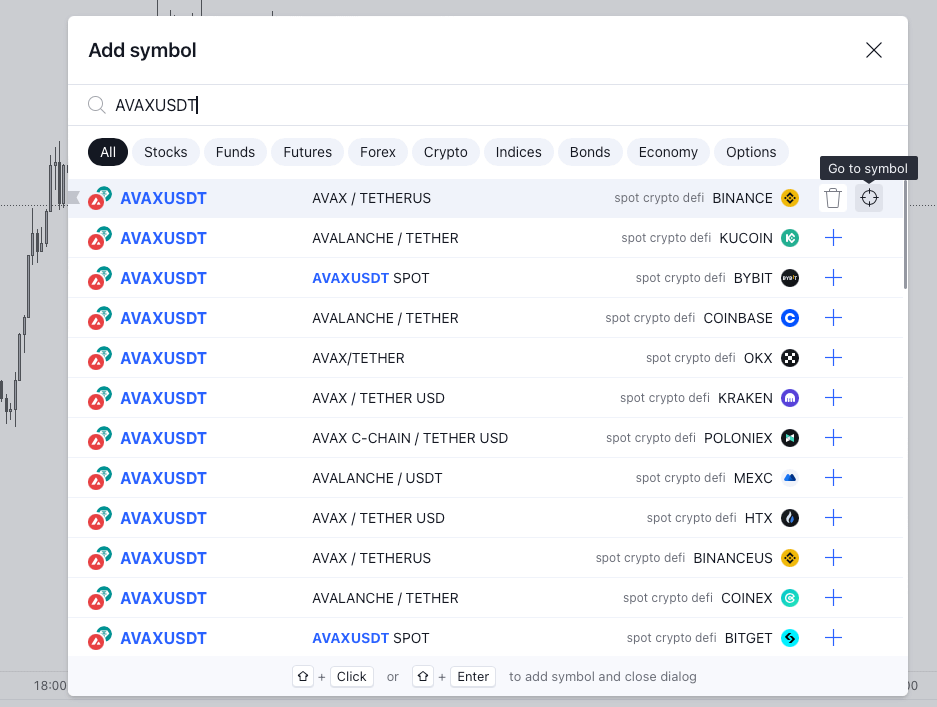
Find the coins with your desired volatility filter and add them to TradingView.
Chart them and see if any setups present themselves for the day.
Find the coins with your desired volatility filter and add them to TradingView.
Chart them and see if any setups present themselves for the day.
3. Strategy Selection
Pick a strategy that best fits the altcoin you're trying to trade.
Use my Momentum VS Mean Reversion strategy guide to pick one that works for you:
Pick a strategy that best fits the altcoin you're trying to trade.
Use my Momentum VS Mean Reversion strategy guide to pick one that works for you:
View Tweet
4. Set Alerts Alerts are key to executing market scans.
When a coin isn't at my execution level, I use my 2-Tier Alert Technique.
This keeps me informed and ready to act while I finish other tasks/ trades.
When a coin isn't at my execution level, I use my 2-Tier Alert Technique.
This keeps me informed and ready to act while I finish other tasks/ trades.
5. Narrative and money flow
Lastly, keep track of the macro narrative and where the money is flowing.
This will help you rotate, re-position, and take profits efficiently.
Here's a full guide to get you started:
Lastly, keep track of the macro narrative and where the money is flowing.
This will help you rotate, re-position, and take profits efficiently.
Here's a full guide to get you started:
View Tweet
Next, download my full Altcoin Discovery System PDF Guide
Use this to make money and catch major moves on altcoins.
Free download Expires in 24 hours (Scroll up in the chat): Go.koroushak.io/PDF
Use this to make money and catch major moves on altcoins.
Free download Expires in 24 hours (Scroll up in the chat): Go.koroushak.io/PDF
Generated by Thread Navigator
Press ⌘ + S to quick-export