SEO without tracking is like driving without a map.
In WordPress, I rely on specific strategies to track rankings, traffic, & backlinks.
10+ years of SEO taught me how to make this process seamless.
Here’s how I track my SEO data in WordPress w/ @aioseopack:

@aioseopack 1/ Complete Search Overview
A complete overview of your search statistics.
Overview of your content performance and keyword rankings too.
A complete overview of your search statistics.
Overview of your content performance and keyword rankings too.

@aioseopack 2/ SEO Statistics Widget
It shows an overview of the Search Impressions, Total Clicks, Average CTR, and Average Position for all content.
The stats are gathered from Performance in Google Search Console.
It shows an overview of the Search Impressions, Total Clicks, Average CTR, and Average Position for all content.
The stats are gathered from Performance in Google Search Console.

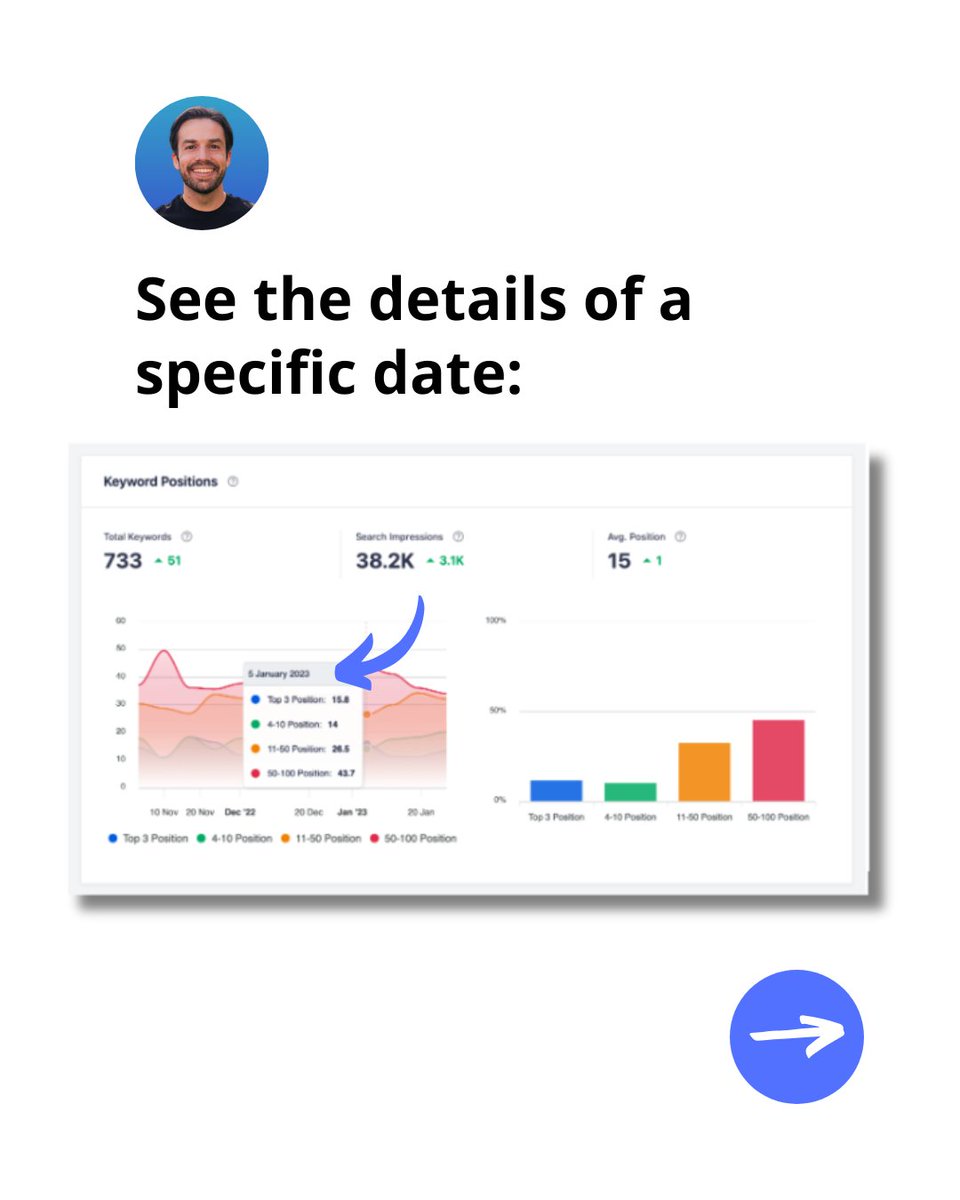
@aioseopack 3/ Keyword Positions Widget
It shows the average position of your keywords in Google search results.
You can click on the graph legend items to remove that range from the graph.
It shows the average position of your keywords in Google search results.
You can click on the graph legend items to remove that range from the graph.

@aioseopack 4/ Keyword Rankings Widget
It shows the Top Keywords.
Also the winning/losing search terms that have seen the biggest changes.
An easy way to track all of your keywords.
It shows the Top Keywords.
Also the winning/losing search terms that have seen the biggest changes.
An easy way to track all of your keywords.

@aioseopack 5/ Content Performance Widget
It shows a detailed report of the Top Pages, Top Losing, and Top Winning content on your site.
You can also see your TruSEO score, Indexed status, clicks, impressions and more.
It shows a detailed report of the Top Pages, Top Losing, and Top Winning content on your site.
You can also see your TruSEO score, Indexed status, clicks, impressions and more.

@aioseopack 6/ SEO Statistics Report
It shows the SEO Statistics graph and the Content Performance report.
It shows a larger version of the information displayed in the SEO Statistics widget.
It shows the SEO Statistics graph and the Content Performance report.
It shows a larger version of the information displayed in the SEO Statistics widget.

@aioseopack 7/ Keyword Rankings Reports
It shows the Keyword Positions graph along with the Keyword Performance table.
Keyword positions graph is a larger version of the one you saw in widget.
It shows the Keyword Positions graph along with the Keyword Performance table.
Keyword positions graph is a larger version of the one you saw in widget.
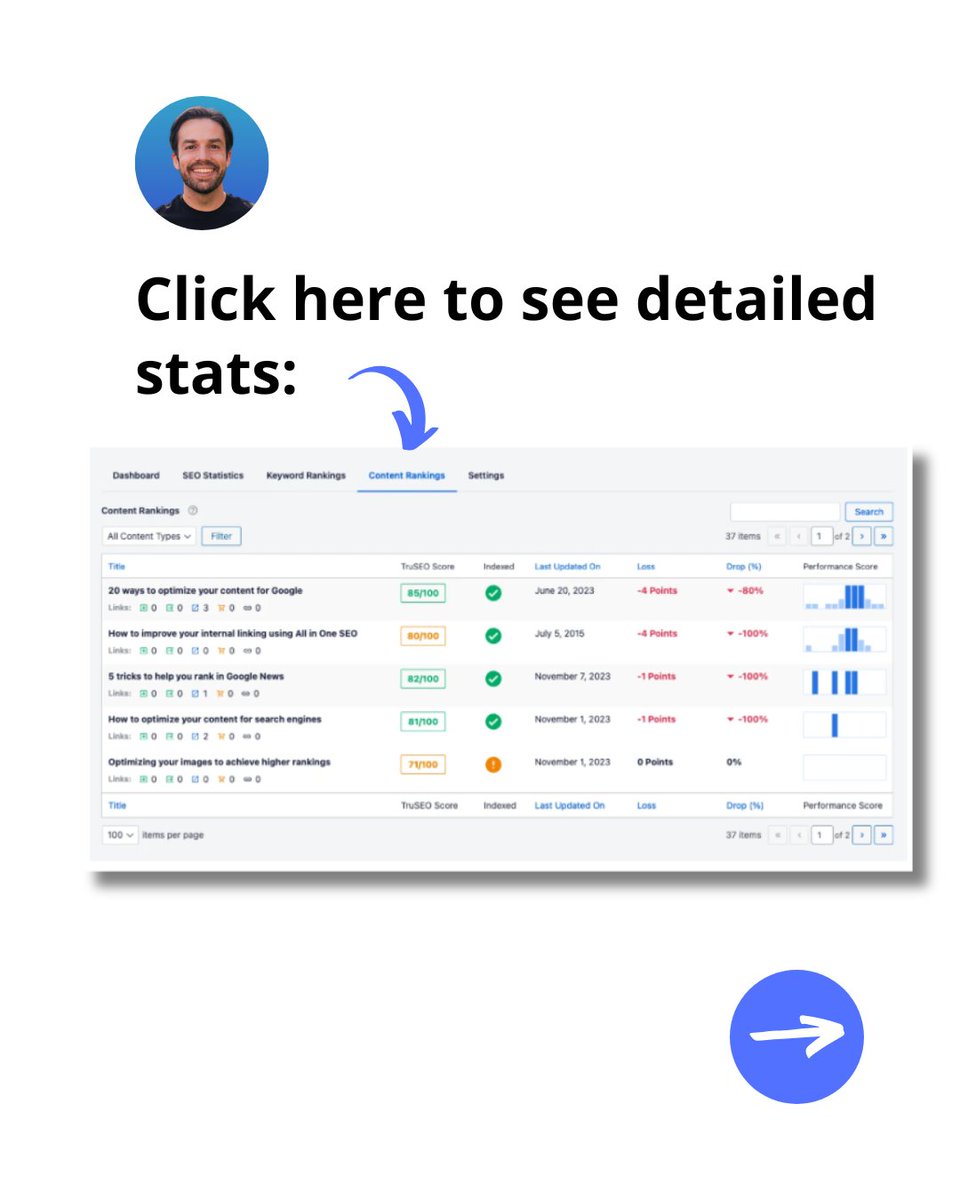
@aioseopack 8/ Content ranking report
It shows how your content is performing in Google search results.
Use it to spot content decay and identify significant trends.
It shows how your content is performing in Google search results.
Use it to spot content decay and identify significant trends.
@aioseopack Keeping track of SEO stats shouldn’t be overwhelming.
AIOSEO consolidates rankings, performance, & trends in one place.
Definitely worth a download and test run.
Get 60% off your 1st year: aioseo.com/pricing/?utm_s…
AIOSEO consolidates rankings, performance, & trends in one place.
Definitely worth a download and test run.
Get 60% off your 1st year: aioseo.com/pricing/?utm_s…
@aioseopack What you think?
Repost ♻️ if you support my SEO content 😀
P.S. I'm Connor Gillivan. Follow me & slap my 🔔 for SEO content.
(Thanks to @aioseopack for sponsoring this post)
Repost ♻️ if you support my SEO content 😀
P.S. I'm Connor Gillivan. Follow me & slap my 🔔 for SEO content.
(Thanks to @aioseopack for sponsoring this post)

Generated by Thread Navigator
Press ⌘ + S to quick-export