It's mind blowing what SEO tools can do today.
Compared to when I started in 2014, it's lightyears ahead.
I recently analyzed Surfer's new SEO content features.
And I've GOT to share the features I found.
Here's my 9 step process to craft quality SEO content:

1/ Add your content into @surfer_seo
Go into their "Content Editor".
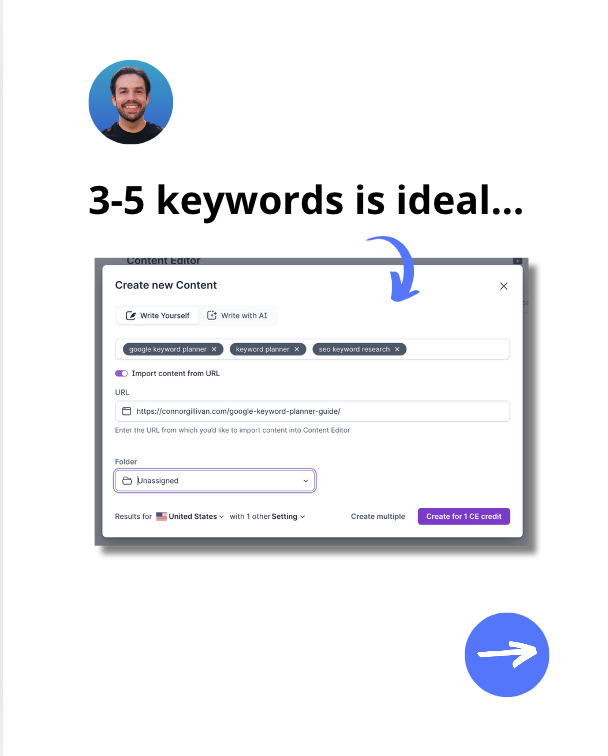
Enter the main keywords you want to rank for with it.
Copy and paste your content, write from scratch, or upload from a URL.
Go into their "Content Editor".
Enter the main keywords you want to rank for with it.
Copy and paste your content, write from scratch, or upload from a URL.
@surfer_seo 2/ Check their Content Score
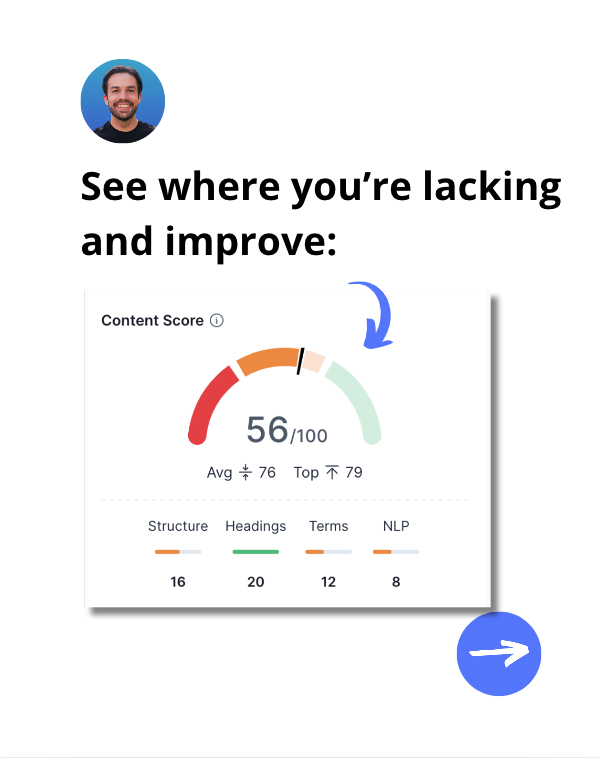
To rank high, you want to have a score of 75 or higher.
If you're below, it means there's room for improvement.
Now it's time to get to work.
To rank high, you want to have a score of 75 or higher.
If you're below, it means there's room for improvement.
Now it's time to get to work.
@surfer_seo 3/ Use "Topics" tool for inspo
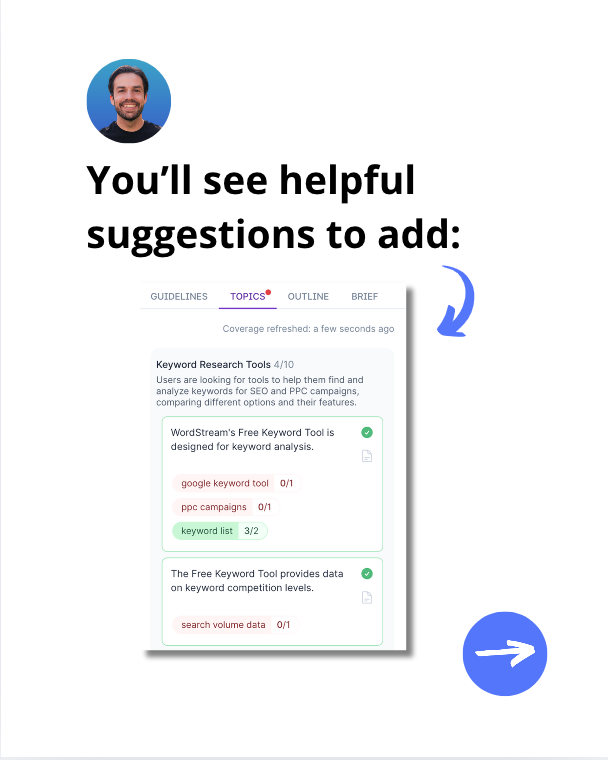
It analyzes SERPs and runs a real-time competitor analysis to find topical gaps for you.
Then provides suggestions for topics and entities your content should cover.
Super intuitive to use.
It analyzes SERPs and runs a real-time competitor analysis to find topical gaps for you.
Then provides suggestions for topics and entities your content should cover.
Super intuitive to use.
@surfer_seo 4/ Upgrade your SEO content
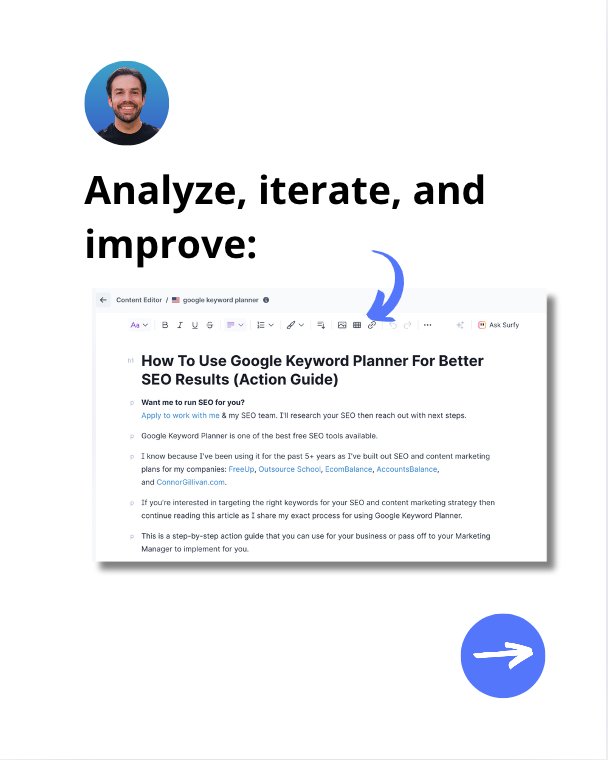
Take the "Topics" suggestions and add information to your article accordingly.
Analyze each section and write new content.
Include more secondary & relevant keywords.
Take the "Topics" suggestions and add information to your article accordingly.
Analyze each section and write new content.
Include more secondary & relevant keywords.
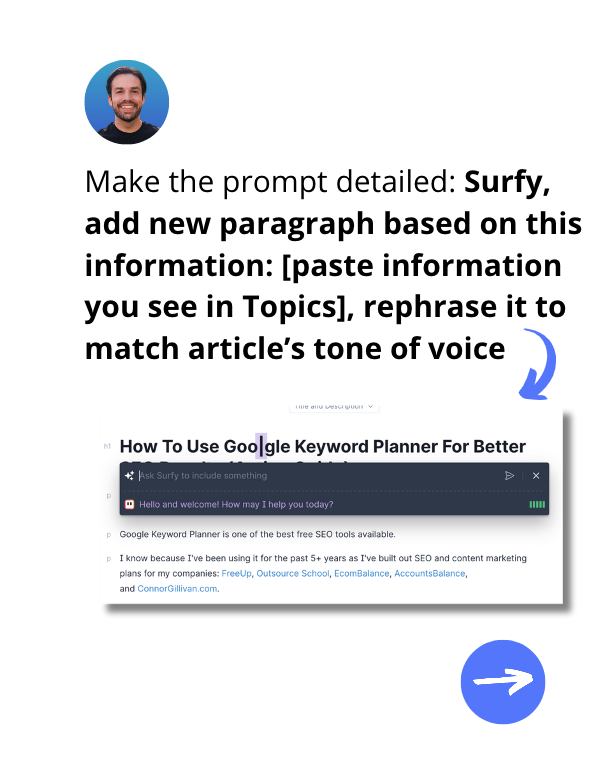
@surfer_seo 5/ Use Surfy, AI assistant
Add new paragraphs based on Topics you’re missing.
Surfy is a writing assistant that helps with content.
You can ask it to expand, shorten, rewrite, or even add a completely new section in an SEO-friendly manner.
Add new paragraphs based on Topics you’re missing.
Surfy is a writing assistant that helps with content.
You can ask it to expand, shorten, rewrite, or even add a completely new section in an SEO-friendly manner.
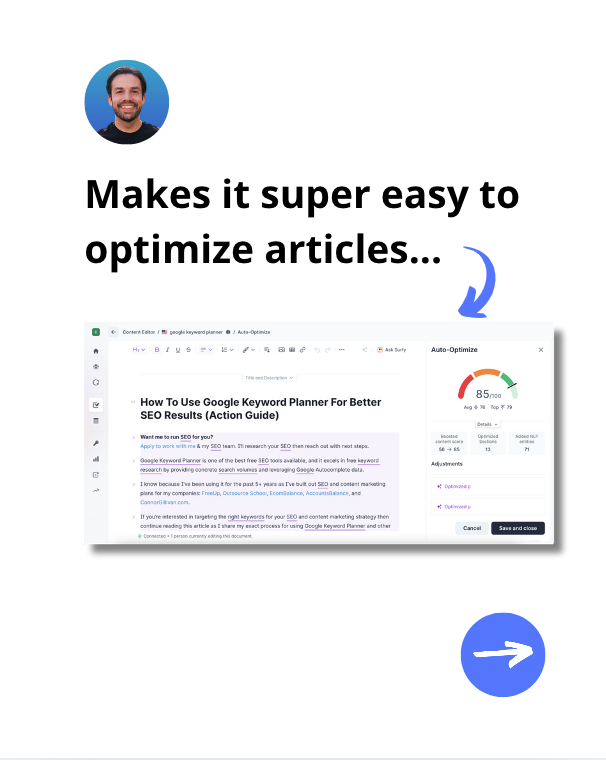
@surfer_seo 6/ Use "Auto-Optimize" tool
Click the "Auto-Optimize" button in Content Editor.
It will analyze your content, find remaining topical gaps and fill them out.
It's goal: Improve the Content Score of your article to ensure it ranks high.
Click the "Auto-Optimize" button in Content Editor.
It will analyze your content, find remaining topical gaps and fill them out.
It's goal: Improve the Content Score of your article to ensure it ranks high.
@surfer_seo 7/ Analyze changes & finalize
Don't just accept "Auto-Optimize" changes without analyzing.
Compare it to your original content and edit if needed.
Make sure it's in your tone of voice and aligns with the content.
Don't just accept "Auto-Optimize" changes without analyzing.
Compare it to your original content and edit if needed.
Make sure it's in your tone of voice and aligns with the content.
@surfer_seo 8/ Publish your article
Go to your CMS and update the article.
Make sure format, content, and images are all accurate.
Hit "Update".
Go to your CMS and update the article.
Make sure format, content, and images are all accurate.
Hit "Update".
@surfer_seo 9/ Track ranking results
Don't just update and forget.
Track the rankings for that article.
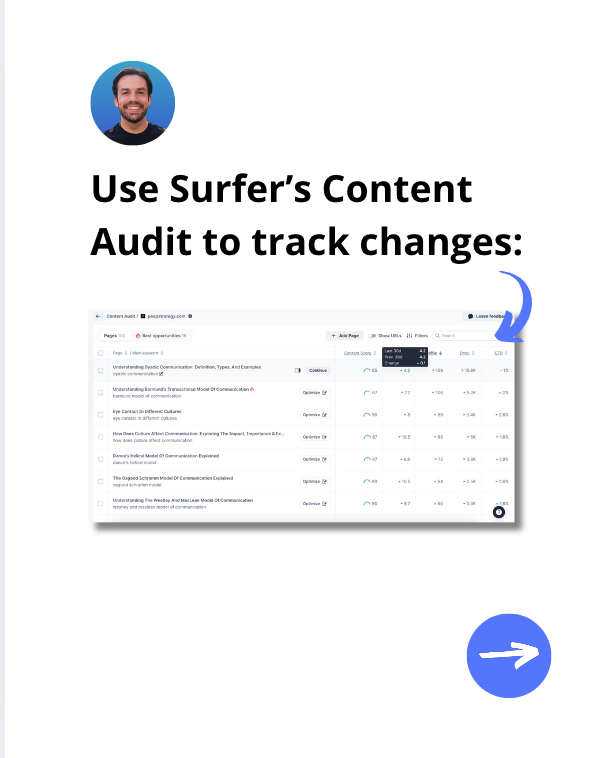
You can use Surfer’s Content Audit to do it automatically.
Make sure that they're improving and repeat as needed.
Don't just update and forget.
Track the rankings for that article.
You can use Surfer’s Content Audit to do it automatically.
Make sure that they're improving and repeat as needed.
@surfer_seo Upgrading content is key to staying competitive.
Tools like Surfer make upgrades faster and more effective.
Get a yearly Surfer plan for 30% off + score 30% more credits during Black Friday.
Get the offer here: surferseo.com/black-friday/
Tools like Surfer make upgrades faster and more effective.
Get a yearly Surfer plan for 30% off + score 30% more credits during Black Friday.
Get the offer here: surferseo.com/black-friday/
@surfer_seo Have questions about Surfer? Comment or DM me and I'll gladly help!
♻️ Repost to help others learn this process as well.
P.S. Happy Thanksgiving to all of my US followers 🤘
(Thanks to @surfer_seo for sponsoring this post)
♻️ Repost to help others learn this process as well.
P.S. Happy Thanksgiving to all of my US followers 🤘
(Thanks to @surfer_seo for sponsoring this post)
Generated by Thread Navigator
Press ⌘ + S to quick-export