In my 7 years in crypto, this is the most bullish indicator I've used
I started with little and reached financial freedom.
Use this to catch 10-50Xs in a bull market.
Full strategy guide:

Before I begin,
I spent a lot of time creating this guide and will make many more to help you.
If you have a spare second, please bookmark it, repost, comment, or simply hit like.
I spent a lot of time creating this guide and will make many more to help you.
If you have a spare second, please bookmark it, repost, comment, or simply hit like.
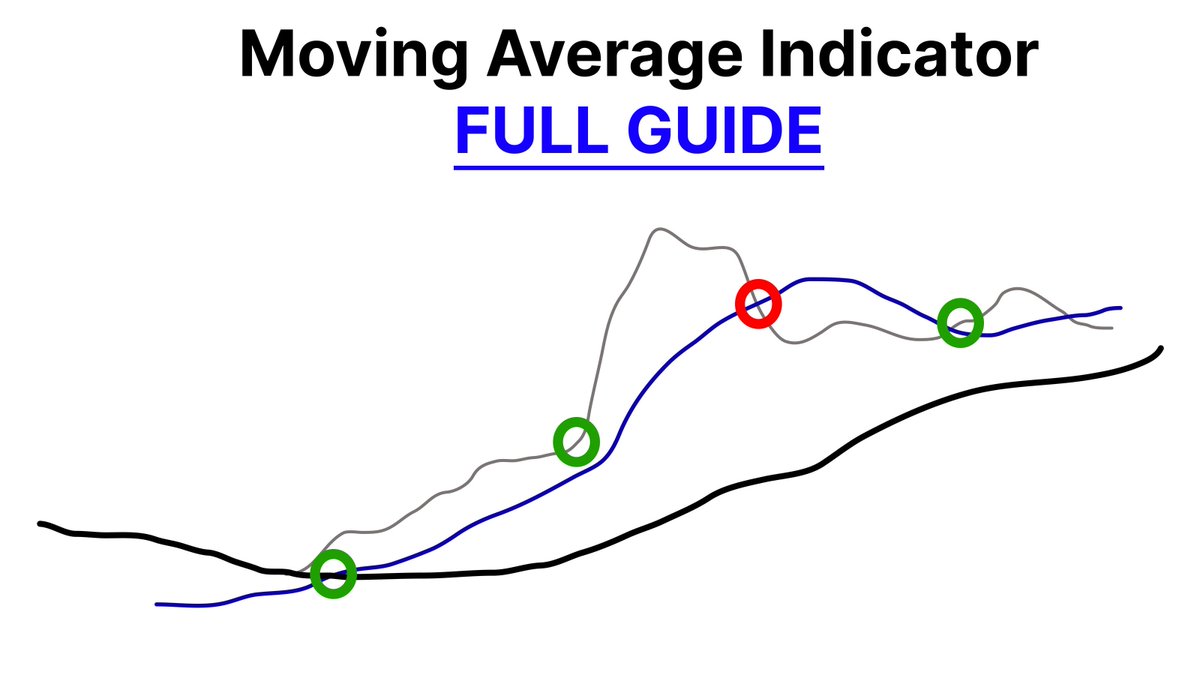
Moving Averages are my best indicators for trading.
This is how I catch uptrends, downtrends, and trend reversals early.
It's also how I've made most of my money trading. Let's dive into my strategy:
This is how I catch uptrends, downtrends, and trend reversals early.
It's also how I've made most of my money trading. Let's dive into my strategy:
But first, What is a Moving Average?
A moving average is a line that shows the average price of a coin/ asset over a specific period of time.
There are 2 main types:
A moving average is a line that shows the average price of a coin/ asset over a specific period of time.
There are 2 main types:

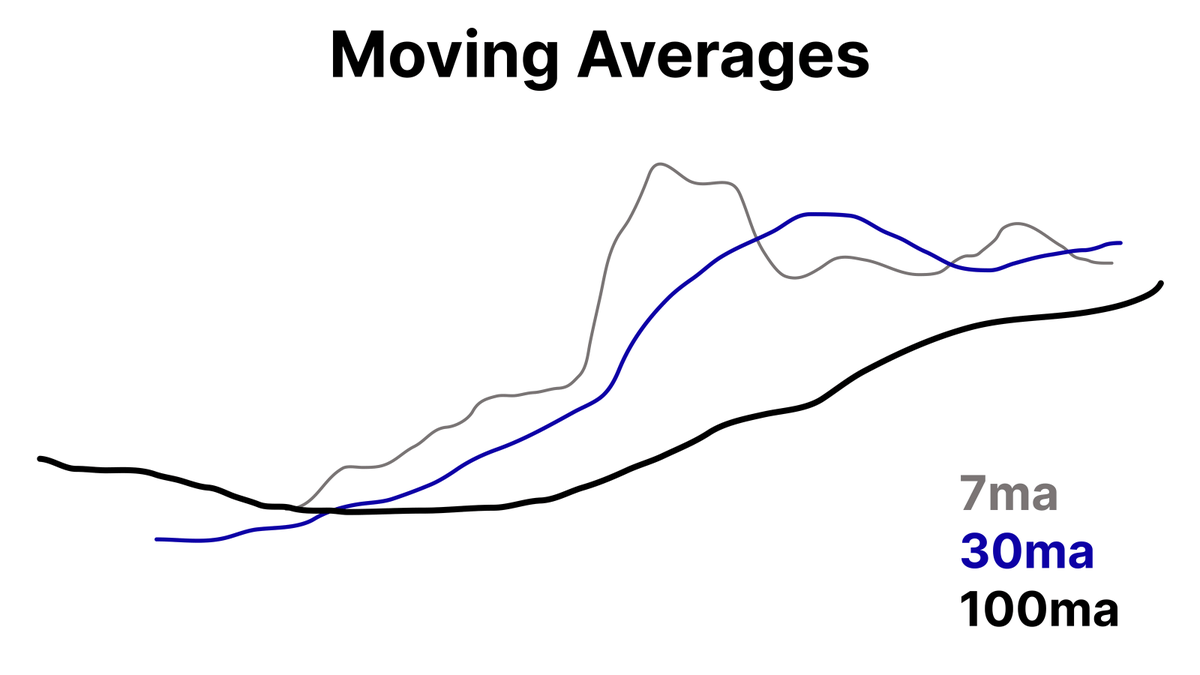
I use Simple Moving Averages in my trading. Here are my settings:
Lower time frames: 7ma [Grey, thinnest]
Medium time frames: 30ma [Blue, medium thickness]
Higher time frames: 100ma [Black, thickest]
These MAs help me track short, medium, and long-term trends.
Lower time frames: 7ma [Grey, thinnest]
Medium time frames: 30ma [Blue, medium thickness]
Higher time frames: 100ma [Black, thickest]
These MAs help me track short, medium, and long-term trends.
When price is in an uptrend, I look for these criteria to enter longs:
-Moving Averages fanned out
-7ma above 30ma
-30ma above 100ma
Here's what my ideal setup looks like:
-Moving Averages fanned out
-7ma above 30ma
-30ma above 100ma
Here's what my ideal setup looks like:

The opposite applies when the market is in a downtrend:
-Moving averages fanned out
-7ma below 30 ma
-30 ma below 100ma
This is where I catch major shorts on big market dumps by shorting support. For example:
-Moving averages fanned out
-7ma below 30 ma
-30 ma below 100ma
This is where I catch major shorts on big market dumps by shorting support. For example:
I also use moving averages to anticipate trend reversals to exit trades perfectly.
Example:
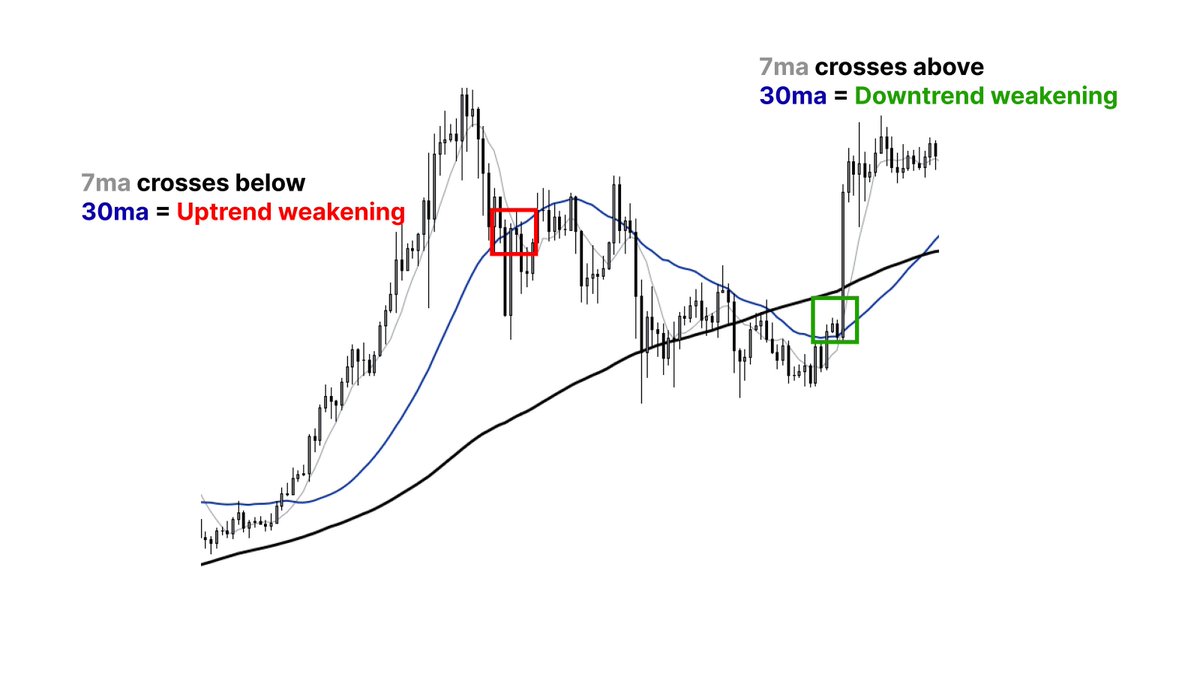
-In uptrends, I look for a 7ma crossing below the 30ma for a trend to flip from bullish to neutral
-In downtrends, a 7ma cross above the 30ma means a weakening downtrend.
Example:
-In uptrends, I look for a 7ma crossing below the 30ma for a trend to flip from bullish to neutral
-In downtrends, a 7ma cross above the 30ma means a weakening downtrend.
Knowing when a trend reverses helps you
-Stay protected against major dumps
-Take profits before trends change direction
This is how I've consistently maintained profitability over the last 7 years.
-Stay protected against major dumps
-Take profits before trends change direction
This is how I've consistently maintained profitability over the last 7 years.
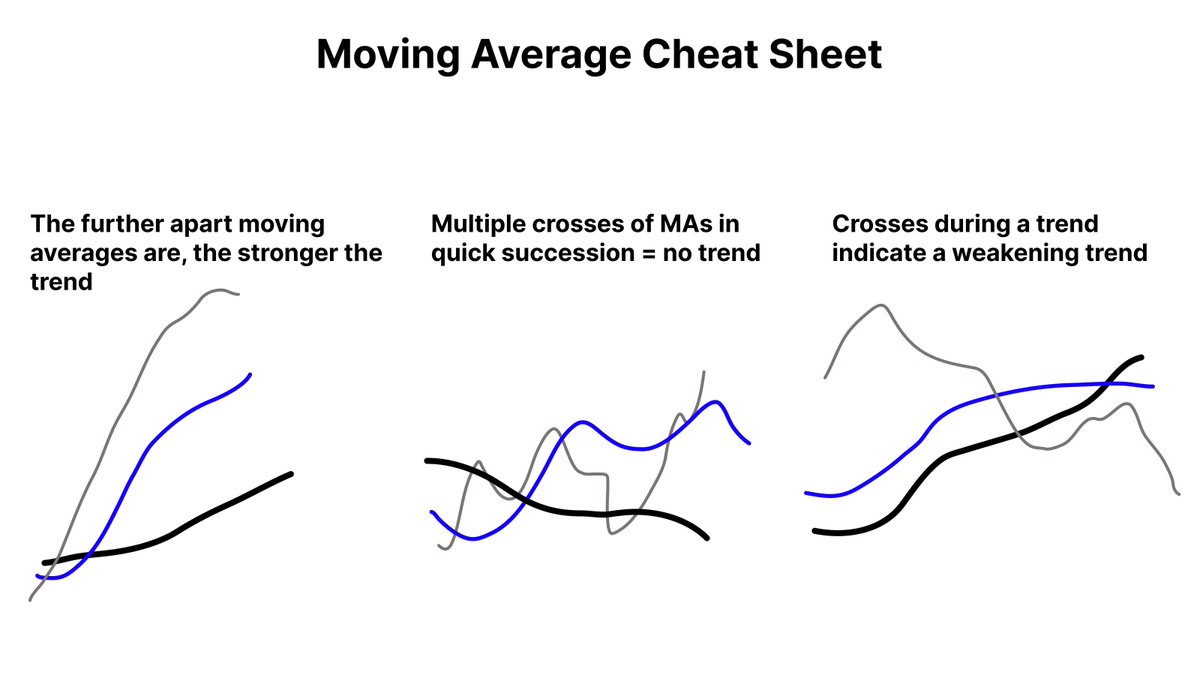
Moving averages can also be used as dynamic support or resistance in trending markets
A moving average can be used as support/ resistance or as a confluence for HTF trading levels.
The stronger the trend, the likelier the moving averages are to hold.
A moving average can be used as support/ resistance or as a confluence for HTF trading levels.
The stronger the trend, the likelier the moving averages are to hold.
This cheat sheet to master moving averages in trending markets.
These basics will put you ahead of 99% of traders and help you become financially free.
These basics will put you ahead of 99% of traders and help you become financially free.
Access my full Moving Averages PDF now.
I've used this indicator to make millions trading crypto bull markets.
Available for another 24 hours. Click here for free access:
go.koroushak.io/telegram
I've used this indicator to make millions trading crypto bull markets.
Available for another 24 hours. Click here for free access:
go.koroushak.io/telegram
Generated by Thread Navigator
Press ⌘ + S to quick-export