@RetroTechChris: I've been playing with the Pic...
@RetroTechChris
22 views
Jun 07, 2026
Advertisement
1
I've been playing with the PicoMEM 2 today. I love it! I've been using my Packard Bell Multimedia 601 Pentium PC to test it, but this will work with 8 bit PCs as well. Let's look at sound (including Gravis!), HDD, wireless network, and real time clock capabilities! Time for a 🧵


2
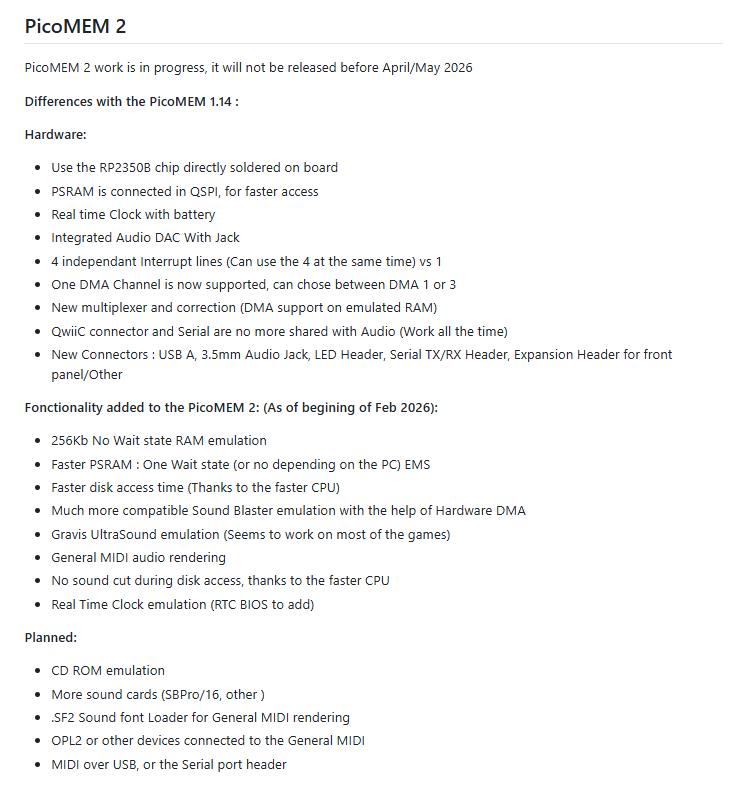
First of all, if you are not familiar with PicoMEM, it's an amazing little all in one card that brings you lots of capabilities. This card will be available for sale soon I believe. The functionality is strong and capable. You can read more about it here: github.com/FreddyVRetro/I…
3
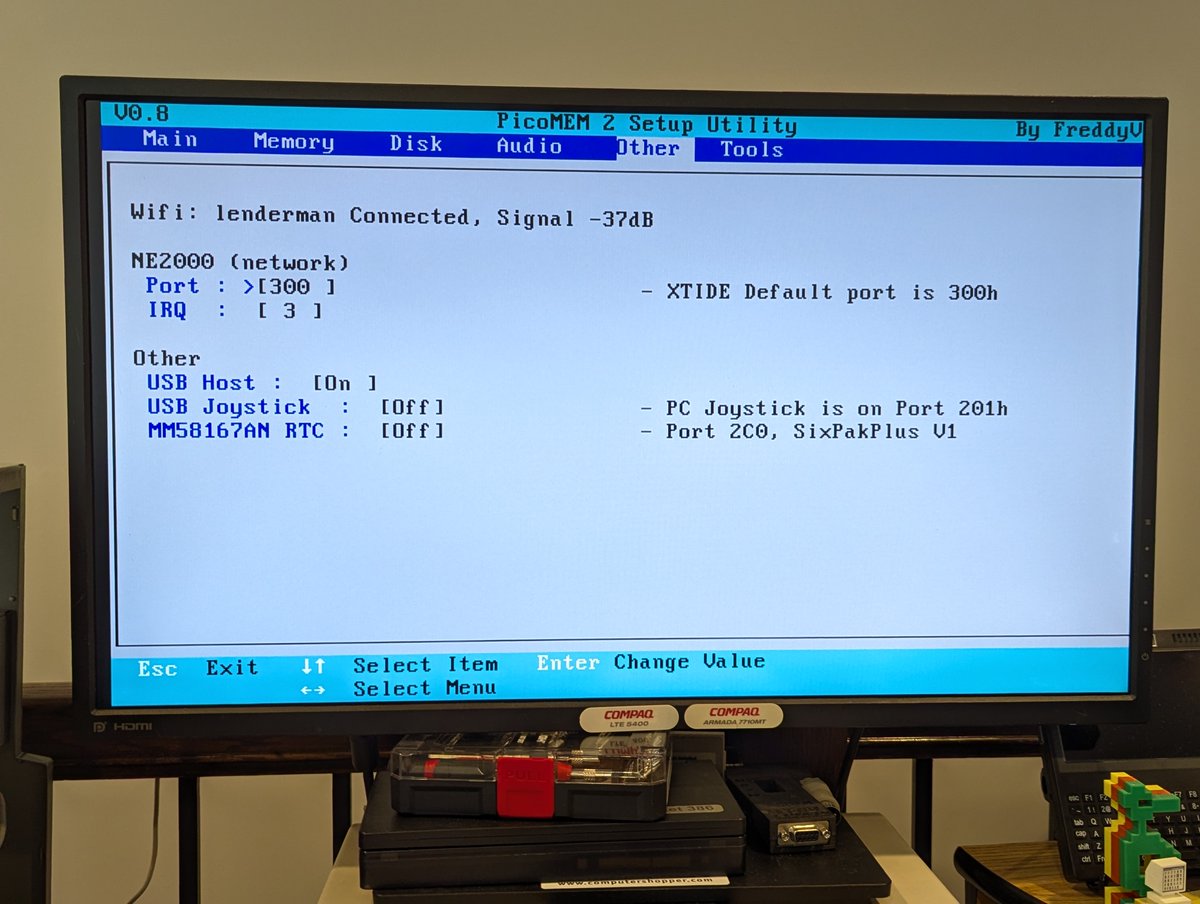
First, let's start with some screenshots of the configuration page. This is designed to look like a system BIOS, and is incredibly well done!


4
Here's "part 2" of configuration page screenshots, since there are six pages of it!

5
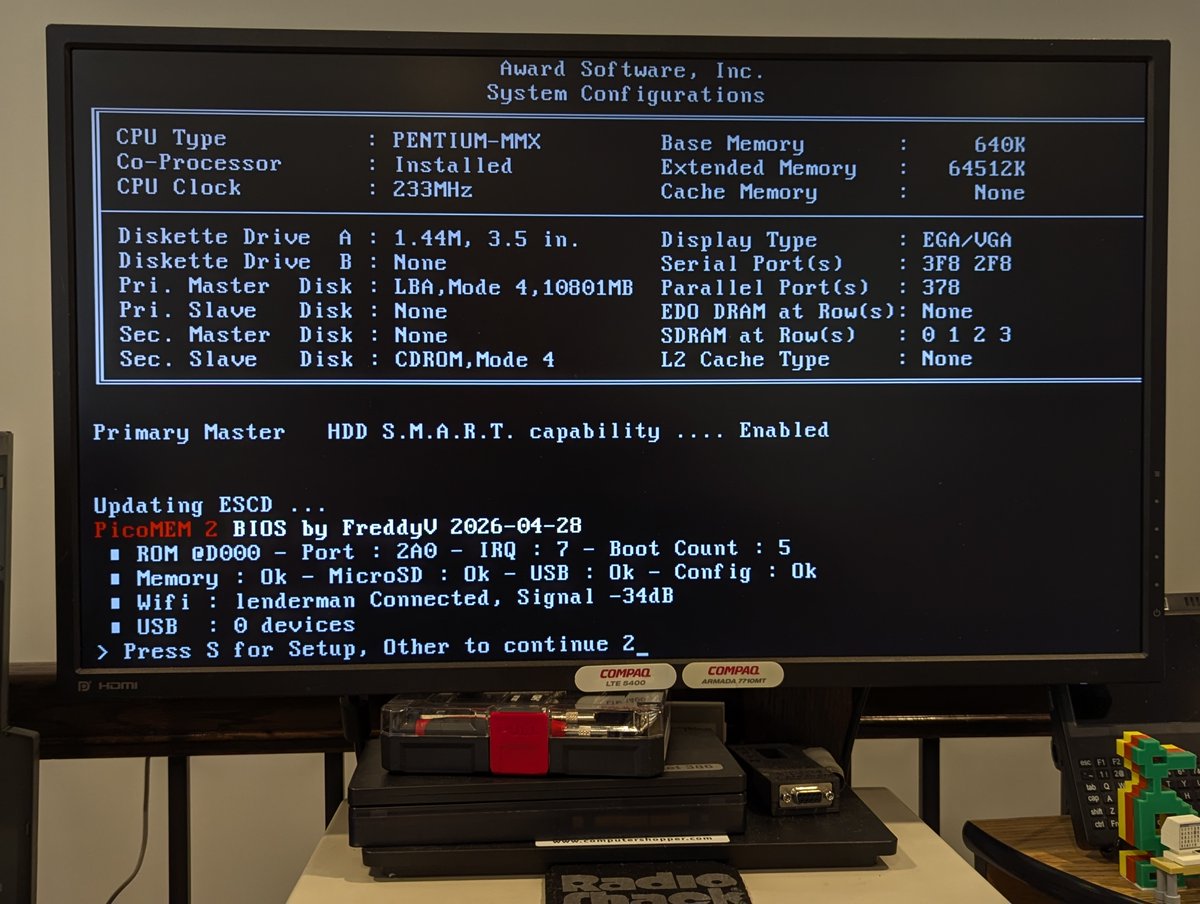
Let's boot it up. On bootup, you see details about the device's current state. In this configuration, I am booting off of a disk image, but if I wanted to boot off of my hard drive, I could reconfigure the setup to allow it (by putting the disk images in different drive slots)

6
Let's copy over some files. Currently, I am using the network card in the Packard Bell, but later we will explore the PicoMEM 2 wireless. PicoMEM 2 has a HDD activity light, and you can connect up a HDD LED too if desired!


7
Let's try out some audio modes. First, going to try this out emulating a Covox Speech Thing. Heads up, it's a little loud if you have headphones on. Have a listen!
8
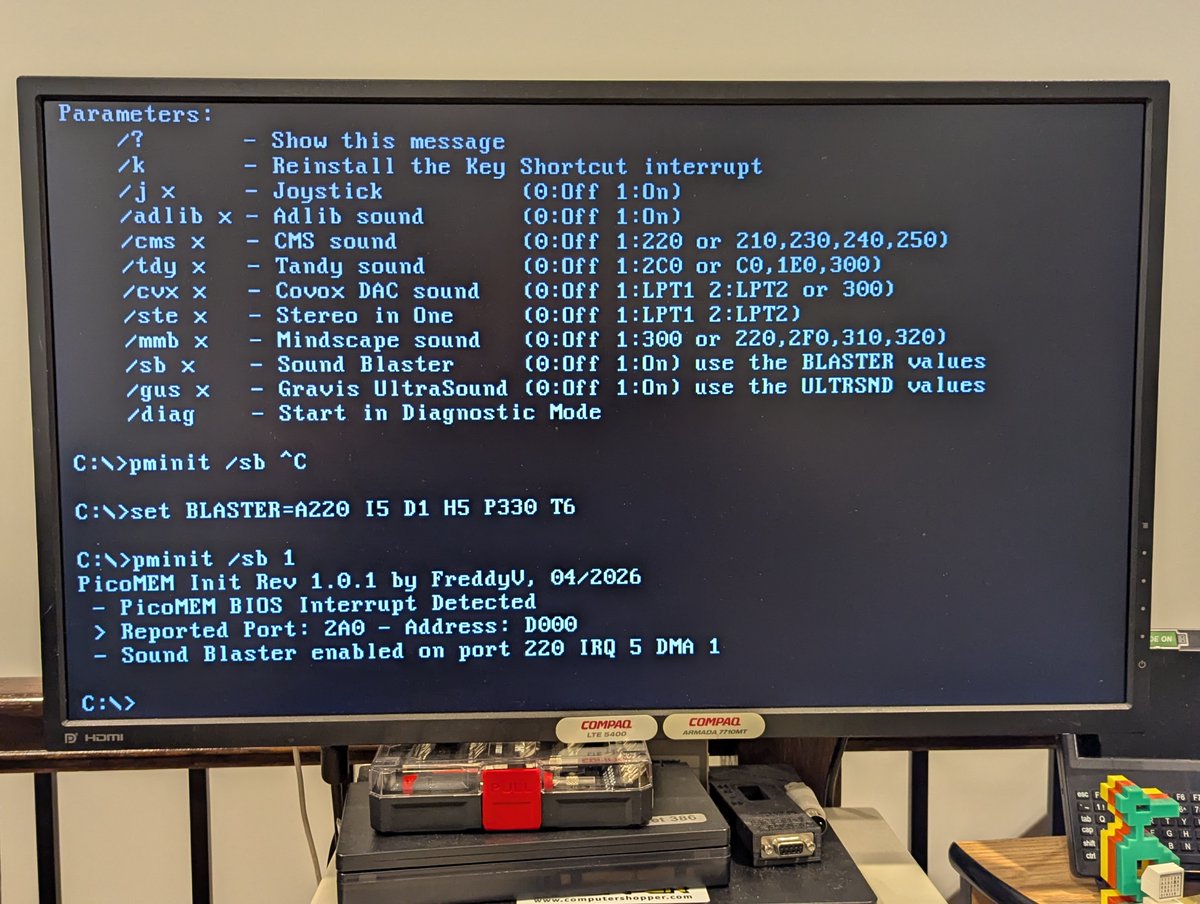
Next, I tried Adlib and Sound Blaster emulation, and they sound great!! You can configure the different modes in system setup in some cases, or by using the "PMINIT" utility.


9
Oookay, here we go... now for some REAL fun! How about Gravis Ultrasound? We'll use DOOM II. I don't know if I have this completely configured right, but it sounds good to me!!


10
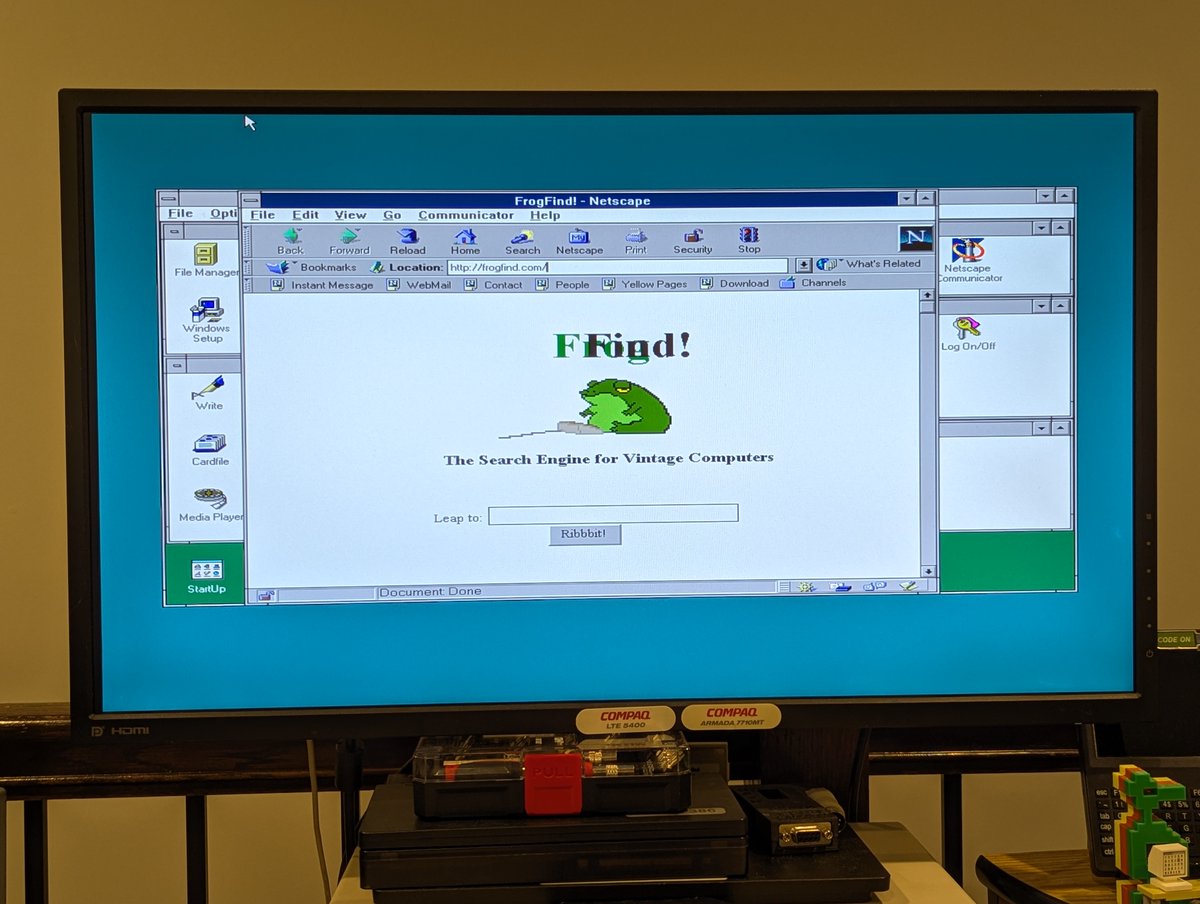
Awesome! Okay, let's try out the wireless NE2000 compatible networking. We'll use Windows for Workgroups 3.11. I changed network settings a bit and then set up the Windows driver to match, and it works perfectly!!


11
Let's test the real time clock! I used a Y2K compliant version of ASTCLOCK, made it resident, set the date and time, and powered off the PC. I powered it on a few minutes later, and we are looking good!


12
By the way, here's some details on that Y2K compliant version of ASTCLOCK.

13
So yea, this was fun to explore! I need to try other sound modes, try out USB, and also try this on some of my other PCs, like the Tandy 1000 SX. I also ordered a Qwiic Alphanumeric display and WP32 drive bay. PicoMEM works as a POST card, we will test later when these arrive.


14
In any event, I'm a big fan of this. First impressions: PicoMEM 2 seems to be very stable and capable. Thank you @FreddyVETELE for your amazing work, once again. I look forward to exploring this some more very soon! Thx for following along.
@threadreaderapp unroll
@threadreaderapp unroll

