@AiwithYasir: 🚨BREAKING: You can now run Cla...
@AiwithYasir
16 views
Apr 08, 2026
Advertisement
1
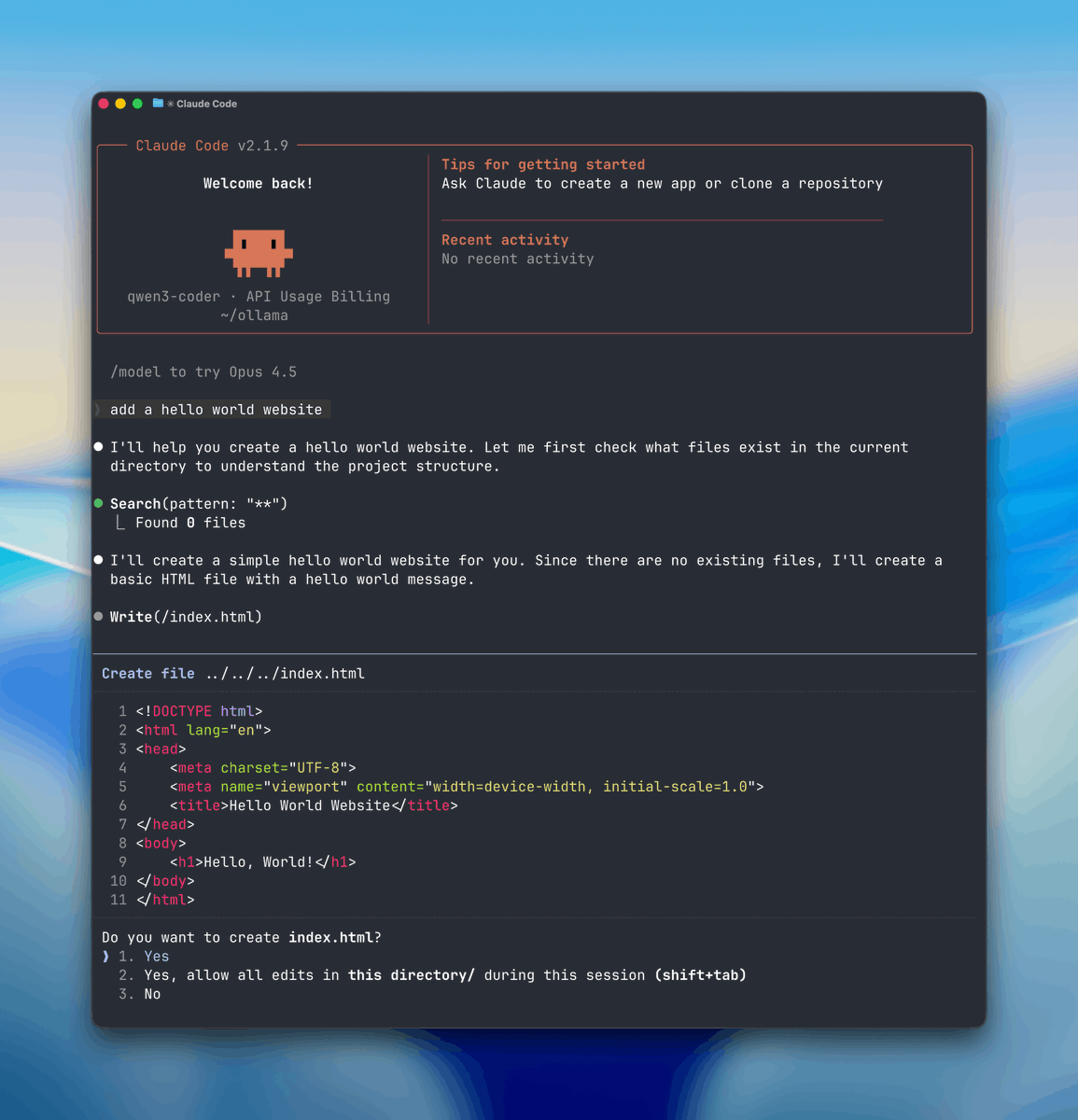
🚨BREAKING: You can now run Claude Code for FREE.
No API costs. No rate limits. 100% local on your machine.
Here's how to run Claude Code locally (100% free & fully private):
No API costs. No rate limits. 100% local on your machine.
Here's how to run Claude Code locally (100% free & fully private):
2
STEP 1: Select Your Local “Brain” (Ollama)
First you need a local engine that can run AI models and handle tool or function calls.
Here we will use Ollama so download ollama.com
Once it’s installed, Ollama runs quietly in the background on both Mac and Windows.
First you need a local engine that can run AI models and handle tool or function calls.
Here we will use Ollama so download ollama.com
Once it’s installed, Ollama runs quietly in the background on both Mac and Windows.
3
The installer will set up Ollama and add it to your system path.
After installation, verify Ollama is working:
Ollama runs as a background service automatically after installation.
You should see it running on http:// localhost: 1143
After installation, verify Ollama is working:
Ollama runs as a background service automatically after installation.
You should see it running on http:// localhost: 1143
4
First, you need to get a special computer program for coding.
If your computer is really powerful, you can download a bigger program like qwen3-coder:30b.
If your computer isn't as strong, smaller programs like gemma:2b or qwen2.5-coder:7b will work just fine.
Once you choose one, open your computer's terminal and start downloading it by typing:
If your computer is really powerful, you can download a bigger program like qwen3-coder:30b.
If your computer isn't as strong, smaller programs like gemma:2b or qwen2.5-coder:7b will work just fine.
Once you choose one, open your computer's terminal and start downloading it by typing:
5
Step 3: Connect Claude to Your Computer
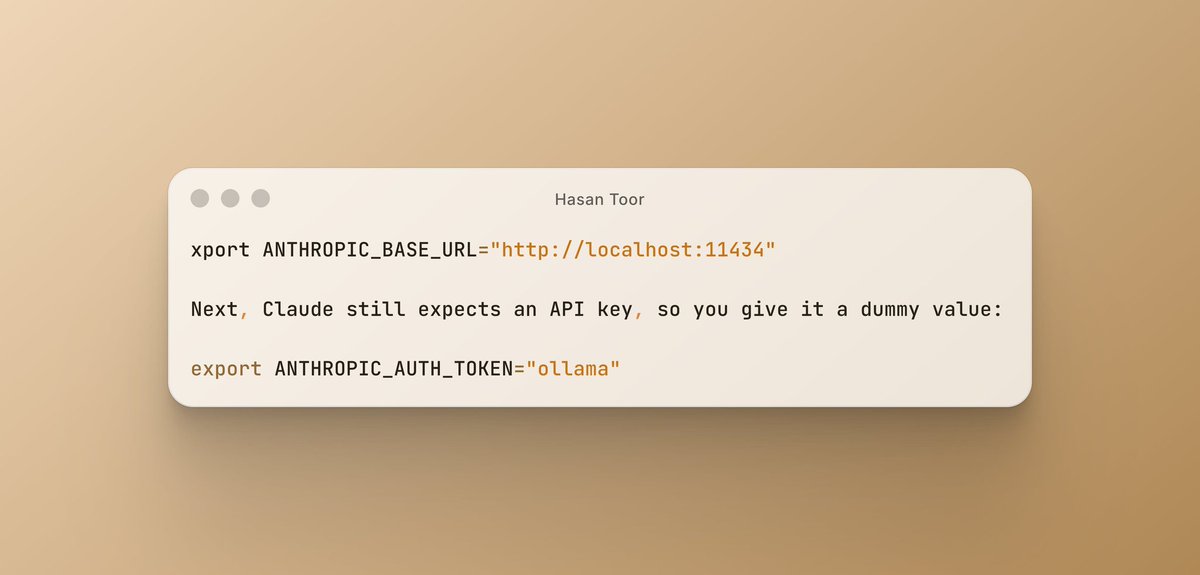
This step is super important. Normally, Claude talks to Anthropic’s servers, but now you’ll make it talk to your computer instead.
First, let Claude know where your computer is by setting the base URL.
This step is super important. Normally, Claude talks to Anthropic’s servers, but now you’ll make it talk to your computer instead.
First, let Claude know where your computer is by setting the base URL.
6
Step 4: Start Claude and Try It Out
Now you can use Claude Code for real work.
Go to any project folder on your computer and start Claude with the model you picked.
For example:
Now you can use Claude Code for real work.
Go to any project folder on your computer and start Claude with the model you picked.
For example:
7
After you set it up, you can ask it to do things like "Make a hello world website."
You'll see it look at your files, change the code, and do tasks on your computer.
You don't need the internet or the cloud, and it's free.
You'll see it look at your files, change the code, and do tasks on your computer.
You don't need the internet or the cloud, and it's free.