@Nick_zv_: Most websites fail at SEO befo...
Most websites fail at SEO before they even publish a single page.

I've audited hundreds of fresh sites. The same mistakes keep showing up.
Here's the exact blueprint I use to launch websites that actually rank - from domain setup to your first month of traffic.
👉 Does your website suck? Need a modern, hand-crafted site in your niche, with SEO and marketing built in? Let's chat!
Domain & Hosting
Get this right first. Everything else builds on it.
Your domain should be short, brandable, and easy to spell.
Generally, a direct-match domain is also always a good call (your keyword dot com).
Even in 2026, Google has difficulty distinguishing brand from keyword => backlinks with direct match anchors are more effective.
Beyond that: SSL certificate (non-negotiable), hosting with 99%+ uptime, and a CDN configured for speed. If your site goes down every other week, Google notices. So do your visitors.
URL Architecture - Plan This BEFORE You Build
This is the section most people skip. It's also the one that costs the most to fix later.
Changing URLs after launch means redirects, lost link equity, and months of recovery. Get it right from day one.
The rules are simple: flat structure where most pages are 2-3 clicks from the homepage, short and descriptive URLs, hyphens between words, lowercase only, no dates or parameters or IDs.
Good: /services/seo-audit/
Bad: /services/index.php?id=4&ref=main
But here's where it gets interesting - and where most SEO guides stop short.
Service Page Architecture - The Money Structure
Your homepage can only rank for one primary keyword. Maybe two if you're lucky.
So where does the rest of your traffic come from? Service pages.
Let's use a personal injury law firm in Houston as the example. Here's the structure that works:
Homepage targets your broadest term - "personal injury lawyer Houston."
Then you build service pages underneath for every specific practice area. Each one targets its own keyword:
One page per service. One keyword per page.
Each of these service pages needs to be a real page - not a thin 200-word placeholder. We're talking 1,000-2,000 words minimum with genuine information about that specific practice area.
Include what makes that service unique, common case types, the legal process, expected timelines, relevant local laws, and a clear CTA. Every page should function as a standalone landing page that could convert a visitor who never sees your homepage.
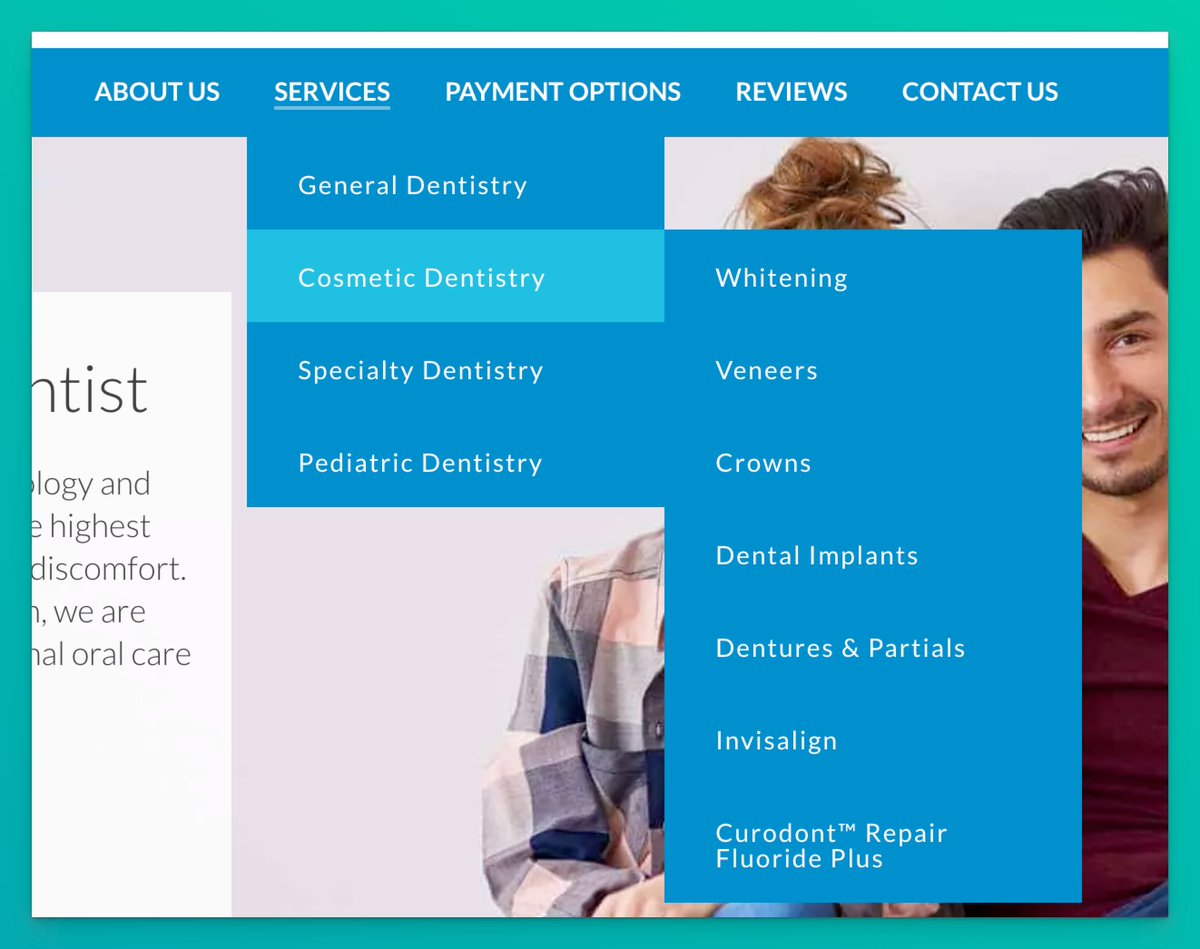
👉 Are you a local biz? Here's EXACTLY what your URL structure should look like:
Real example:
Real-life example:
Location Page Architecture - Scaling Across Cities
This is where firms with multiple locations (or service areas) separate themselves from everyone else.
If you serve more than one city, you need location pages. But not the lazy kind where you swap "Houston" for "Dallas" and call it a day. Google has been penalizing that approach for years.
Here's the structure:
First, create a locations index page at /locations/ - this is your hub. It links to every city you serve and gives Google a clear crawl path.
Then build out each location as its own directory:
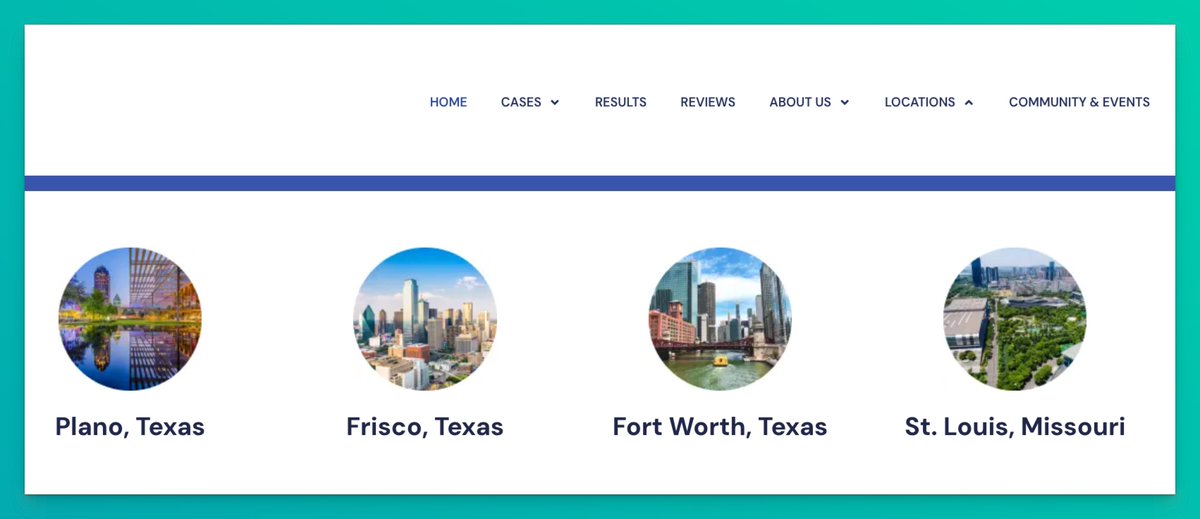
Now here's the move most people miss - nest your service pages under each location:
This does three things:
First, it gives you a unique page for every service + city combination. If you have 5 service areas and 10 cities, that's 50 pages - each targeting a different long-tail keyword.
Second, it creates a clean internal linking hierarchy. The location hub links down to city pages. City pages link down to service-specific pages. Authority flows naturally.
Third, it signals topical relevance to Google. When everything under /locations/dallas-personal-injury/ is about personal injury law in Dallas, Google understands exactly what that section covers.
The critical rule: Every single location page needs unique content. Local stats, local court information, local landmarks, testimonials from that area, specific laws that apply in that jurisdiction. If your Dallas page reads the same as your Austin page with the city name swapped, you're wasting your time.
Google Search Console & Analytics
Do this on day one. Not day 30. Day one.
Search Console: Create and verify your property, submit your XML sitemap, check for crawl errors, and set up email notifications. You want to know the second something breaks.
GA4: Property created, tracking code on every page, goals and conversions configured. If you can't measure it, you can't improve it.
These are the two tools you'll live in for the next 12 months. Get them set up before you launch a single page.
Screenshot idea: A GSC dashboard showing the sitemap submission confirmation and initial crawl stats.
Technical Foundation
This is the boring stuff that makes or breaks everything.
Your robots.txt needs to be configured properly - one wrong line and Google can't see your site. Your XML sitemap should auto-update when you add new pages. Your 404 page needs to be customized with navigation back to your main pages.
Set up canonical tags on every page. Double-check that there are no accidental noindex tags - this is the number one launch killer I see. A dev leaves noindex on from staging and nobody catches it for weeks.
Add schema markup to your key pages. LocalBusiness schema for location pages, Service schema for service pages, FAQ schema for any page with an FAQ section. This won't directly boost rankings, but it gets you rich snippets - and rich snippets get clicks.
Site Speed
If your page takes more than 3 seconds to load, you're losing visitors before they even see your content.
Compress all images and serve them in WebP format. Enable lazy loading for anything below the fold. Minify your CSS and JS. And check your Core Web Vitals - Google has made it clear these matter.
The good news with a template-based service page structure: same template means same assets means fast loading across every page. Optimize once, benefit everywhere.
Screenshot idea: A PageSpeed Insights result showing green scores across all Core Web Vitals metrics.
Mobile
Over 60% of searches happen on mobile. If your site doesn't work perfectly on a phone, you're invisible to the majority of your potential visitors.
Responsive design, touch targets at least 48px, no horizontal scrolling. And test on actual devices - not just Chrome DevTools. What looks fine in a simulator can break on a real phone.
Core Pages to Launch With
Don't launch with just a homepage and a "coming soon" blog. Google needs content to understand what your site is about.
Minimum launch package:
Your homepage with a clear value proposition. An about page that builds E-E-A-T (experience, expertise, authority, trust). A contact page with consistent NAP (name, address, phone). One service page per offering - not one page listing all services. Privacy policy and terms of service.
If you're a local business, add your location pages from day one. Don't "plan to add them later." Later never comes, and you're leaving rankings on the table every day you wait.
Blog Setup
Put your blog at /blog/ - not on a subdomain. Subdomains split your domain authority. Subfolders keep everything under one roof.
Plan your category structure before you write a single post. Categories should mirror your service areas so you can build strong topical clusters.
Set up author pages with real bios - this feeds directly into E-E-A-T signals.
Have 10-50 posts ready at launch. Not "we'll start blogging next month." Launch with content. And have a content calendar planned for at least the next 3 months.
Having content from day 1 helps build topical authority FAST.
Internal Linking
This is the circulatory system of your site. Get it wrong and pages die in isolation.
Your homepage should link to your main service and location pages. Service category pages link to individual services. Location hubs link to individual city pages. City pages link to their nested service pages. Blog posts link to relevant service pages and to each other.
No orphan pages. Every page should have at least 2-3 internal links pointing to it. If Google can't find a page through internal links, it might as well not exist.
Screenshot idea: A visual internal linking diagram showing how homepage, service pages, location pages, and blog posts interconnect with directional arrows.
External Link Foundation
You're not going to rank without backlinks. Stop hoping and start building.
Day one: Set up your Google Business Profile (if local), create your social profiles, and start building your initial outreach list. You should have 50+ link prospects identified before launch.
Your link building strategy should be documented. Not "we'll figure it out." Written down. Who's responsible, what tactics you're using, how many links per month, and what your targets are.
Don't expect to rank in competitive niches with zero backlinks. Start building day one.
Pre-Launch Checks
Run through these before you flip the switch:
No placeholder text anywhere. All links work. Forms submit properly. Mobile looks good on real devices. Speed test passed. And - I cannot stress this enough - your robots.txt allows crawling. Check it. Check it again.
Screenshot idea: A simple pre-launch checklist graphic with checkboxes, styled clean and minimal.
Launch Day
Submit your sitemap to Search Console. Request indexing on your 10-15 most important pages. Share across social channels. Then check Search Console the next day for any errors.
That's it. Don't overthink it.
First Month Post-Launch
This is where most people drop the ball. They launch, celebrate, and then... nothing for weeks.
Publish new content weekly at minimum. Build 5-10 initial backlinks. Monitor your rankings and indexing in Search Console. Add internal links from new content to your existing pages.
The first 30 days set the trajectory for the next 12 months. Don't waste them.
The Mistakes That Kill New Sites
I see these over and over:
Dev noindex tags still on from staging - this literally makes your site invisible to Google. No SSL certificate in 2026 - inexcusable. No analytics installed - you're flying blind. Empty blog sections with "coming soon" posts - looks amateur. Thin service pages with 100 words of generic copy - these will never rank. Location pages that are copy-paste jobs with just the city name changed - Google catches this immediately. And the biggest one: waiting months to start link building.
Every week you wait is a week your competitors are building links and you're not.
The TL;DR
Most of your competitors will skip half of this list.
That's your advantage.
Now go launch something.