@akshay_pachaar: Let's build a multi-agent best...
@akshay_pachaar
25 views
Mar 06, 2025
1
Let's build a multi-agent best flight finder app, step-by-step (100% local):
2
Before we begin, here's a quick demo of what we're building!
You will learn:
- @CrewAIInc for multi-agent orchestration
- @BrowserbaseHQ's headless browser tool
- @Ollama to locally server DeepSeek-R1
Let's go! 🚀
You will learn:
- @CrewAIInc for multi-agent orchestration
- @BrowserbaseHQ's headless browser tool
- @Ollama to locally server DeepSeek-R1
Let's go! 🚀
3
Here's an overview of what the app does:
— Parse the query (SF to New York on 21st September) to create a Kayak search URL
— Visit the URL and extract top 5 flights
— For each flight, go to the details to find available airlines
— Summarize flight info
Now let's jump into code!
— Parse the query (SF to New York on 21st September) to create a Kayak search URL
— Visit the URL and extract top 5 flights
— For each flight, go to the details to find available airlines
— Summarize flight info
Now let's jump into code!
4
1️⃣ Define LLM
CrewAI nicely integrates with all the popular LLMs and providers out there!
Here's how you set up a local DeepSeek using Ollama:
CrewAI nicely integrates with all the popular LLMs and providers out there!
Here's how you set up a local DeepSeek using Ollama:

5
2️⃣ Flight Search Agent
This agent mimics a real human searching for flights by browsing the web.
It's powered by @browserbasehq's headless-browser tool and can look up flights on sites like Kayak!
Check this out👇
This agent mimics a real human searching for flights by browsing the web.
It's powered by @browserbasehq's headless-browser tool and can look up flights on sites like Kayak!
Check this out👇

6
3️⃣ Summarisation Agent
After retrieving the flight details, we need a concise summary of all available options.
This is where our Summarization Agent steps in to make sense of the results for easy reading.
Check this out👇
After retrieving the flight details, we need a concise summary of all available options.
This is where our Summarization Agent steps in to make sense of the results for easy reading.
Check this out👇

7
Now that we have both our agents ready, it's time to understand the tools powering them.
1. Kayak tool
2. Browserbase tool
Let's write their code one-by-one.
1. Kayak tool
2. Browserbase tool
Let's write their code one-by-one.

8
4️⃣ Kayak tool
A custom Kayak tool to translate the user input into a valid Kayak search URL.
(FYI Kayak is a popular fight and hotel booking)
A custom Kayak tool to translate the user input into a valid Kayak search URL.
(FYI Kayak is a popular fight and hotel booking)

9
5️⃣ Browserbase Tool
The flight search agent uses the Browserbase tool to simulate human browsing and gather flight data.
To be precise it automatically navigates Kayak website and interact with the web page.
Check this out👇
The flight search agent uses the Browserbase tool to simulate human browsing and gather flight data.
To be precise it automatically navigates Kayak website and interact with the web page.
Check this out👇

10
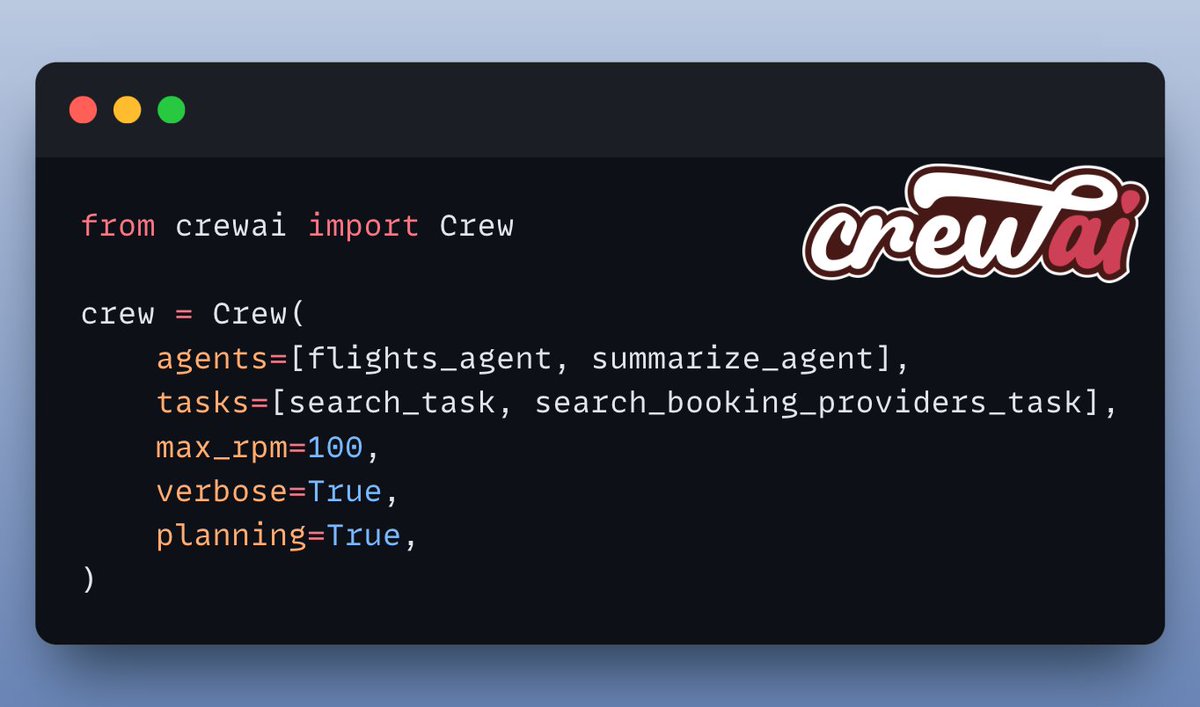
6️⃣ Setup Crew
Once the agents and tools are defined, we orchestrate them using @CrewAIInc.
Define their tasks, sequence their actions, and watch them collaborate in real time!
Check this out👇
Once the agents and tools are defined, we orchestrate them using @CrewAIInc.
Define their tasks, sequence their actions, and watch them collaborate in real time!
Check this out👇
11
7️⃣ Kickoff and results
Finally, we feed the user’s request (departure city, arrival city, travel dates) into the Crew and let it run! 🚀
Check this out👇
Finally, we feed the user’s request (departure city, arrival city, travel dates) into the Crew and let it run! 🚀
Check this out👇

12
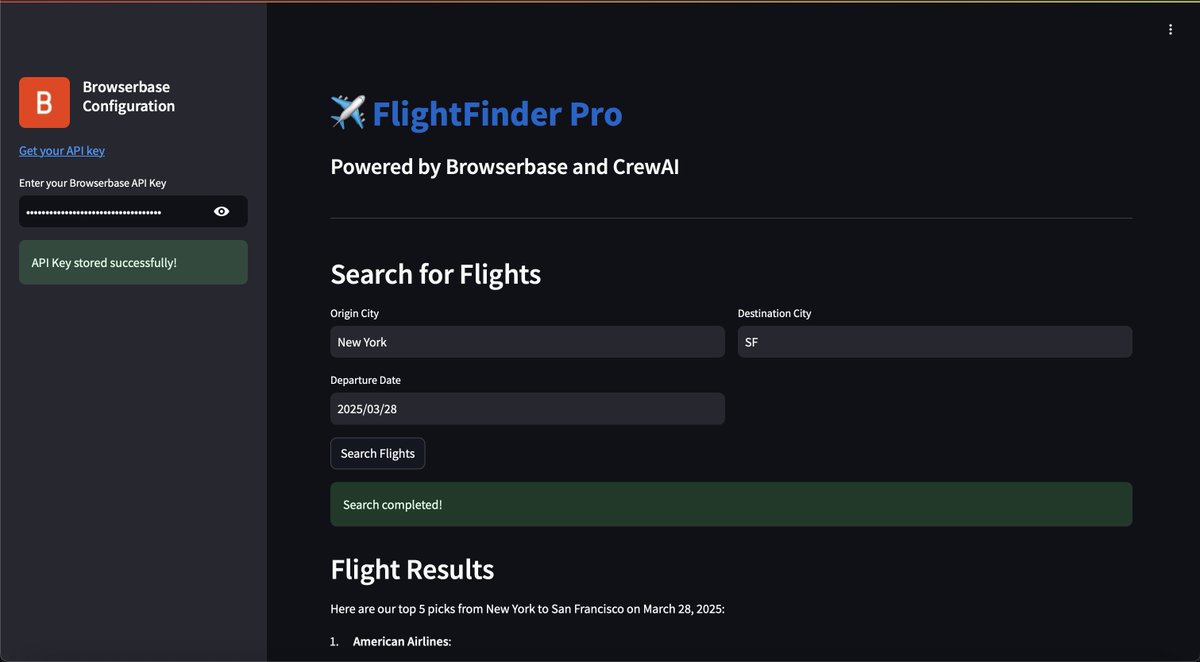
Streamlit UI
To make this accessible, we wrapped the entire system in a @Streamlit interface.
It’s a simple chat-like UI where you enter your flight details and see the results in real time!
Check this out👇
To make this accessible, we wrapped the entire system in a @Streamlit interface.
It’s a simple chat-like UI where you enter your flight details and see the results in real time!
Check this out👇
13
I used @LightningAI ⚡️ Studio for developing this application!
You will find all the code & everything you need to run it! ✨
Clone a FREE studio now & take it for a spin...👇
lightning.ai/akshay-ddods/s…
You will find all the code & everything you need to run it! ✨
Clone a FREE studio now & take it for a spin...👇
lightning.ai/akshay-ddods/s…
14
That's a wrap!
If you're interested in:
- LLMs 🧠
- AI Agents 🤖
- ML/AI Engineering ⚙️
Find me → @akshay_pachaar ✔️
Everyday, I share tutorials on above topics!
If you're interested in:
- LLMs 🧠
- AI Agents 🤖
- ML/AI Engineering ⚙️
Find me → @akshay_pachaar ✔️
Everyday, I share tutorials on above topics!