@theKevinShen: 6 Tips to look amazing on came...
@theKevinShen
8 views
Apr 13, 2026
Advertisement
1
6 Tips to look amazing on camera 😉
How To Design a Youtube or Zoom Background You're *Actually* Proud Of
How To Design a Youtube or Zoom Background You're *Actually* Proud Of


2
1. Spread Out Your Background Items
A common mistake: clumping furniture behind your head. Makes it claustrophobic.
Instead, extend some furniture off-camera.
This creates the sense of a larger world beyond the screen.
You’re a world-builder 🧙🏼♂️
@AnnaAkana is great at this.
A common mistake: clumping furniture behind your head. Makes it claustrophobic.
Instead, extend some furniture off-camera.
This creates the sense of a larger world beyond the screen.
You’re a world-builder 🧙🏼♂️
@AnnaAkana is great at this.

3
2. Fill Up Empty Space
Avoid the blank white wall.
We humans speak the language of signaling. Just as important as the words we say.
Signal intentionality. Make your space a *home* for your audience.
People will feel drawn to you.
@AliAbdaal thanks for doing this so well
Avoid the blank white wall.
We humans speak the language of signaling. Just as important as the words we say.
Signal intentionality. Make your space a *home* for your audience.
People will feel drawn to you.
@AliAbdaal thanks for doing this so well

4
3. Think Beyond Physical Items.
You can also add visual interest with textures & light/shadow.
You're an artist. The video frame is your canvas. Be creative.
Ask - how else can you "paint" interest into your video frame?
@mondobytes does an amazing job with lighting 😊
You can also add visual interest with textures & light/shadow.
You're an artist. The video frame is your canvas. Be creative.
Ask - how else can you "paint" interest into your video frame?
@mondobytes does an amazing job with lighting 😊

5
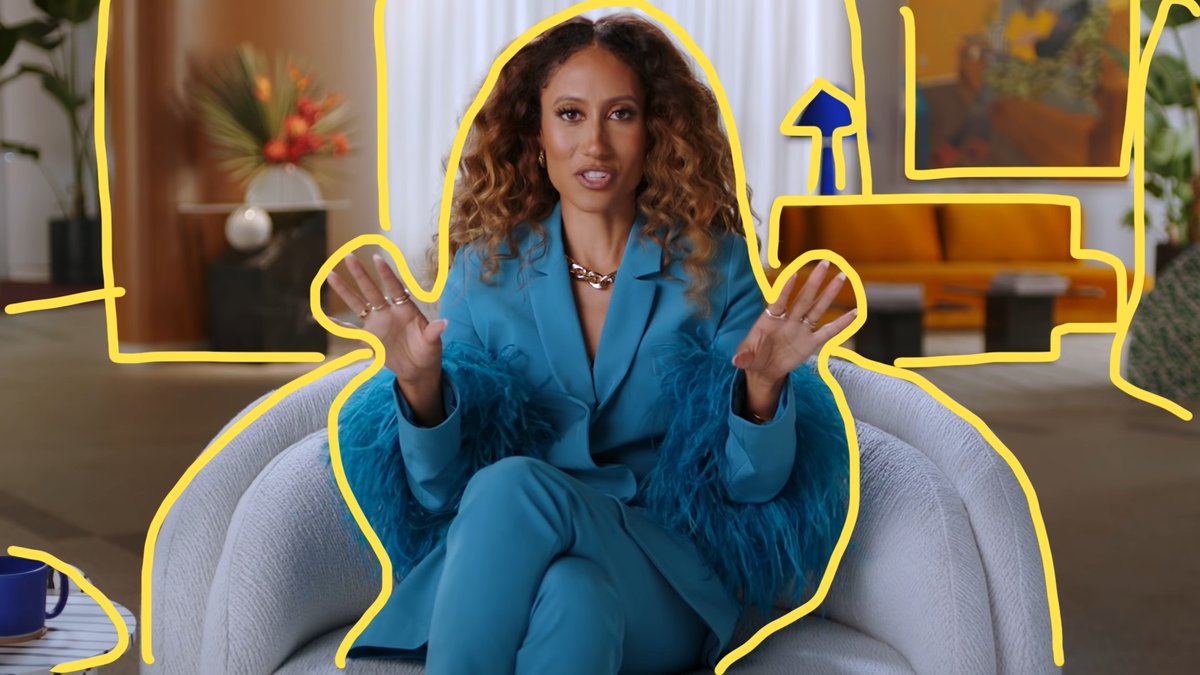
4. Think Layers
Add layers to your scene
Depth = Rich & Engaging
Flat = Cheap & "Webcammy"
Again, make the human on the other side feel welcomed.
We're here to connect w real people. Create a space they want to "be" in
Amazing work as always by @MasterClass @ElaineWelteroth
Add layers to your scene
Depth = Rich & Engaging
Flat = Cheap & "Webcammy"
Again, make the human on the other side feel welcomed.
We're here to connect w real people. Create a space they want to "be" in
Amazing work as always by @MasterClass @ElaineWelteroth
6
7
5. Perspective
Want to create spaciousness? Use a wider lens. If you're worried your space is too small, this tip is for you
Love this setup by @EricFloberg
Want to create spaciousness? Use a wider lens. If you're worried your space is too small, this tip is for you
Love this setup by @EricFloberg

8
Speaking of small spaces, here's a video of me making a studio in a tiny office closet to prove it's possible 😜
youtu.be/qpsQxzbXxMo
youtu.be/qpsQxzbXxMo
9
6. Finally, a little camera magic:
If you move camera back & zoom in, your decor will look bigger.
Great if you want specific items to be more prominent.
Also great if you're lazy & want less of your wall to show on camera 😉
Another great one by @MasterClass @shondarhimes
If you move camera back & zoom in, your decor will look bigger.
Great if you want specific items to be more prominent.
Also great if you're lazy & want less of your wall to show on camera 😉
Another great one by @MasterClass @shondarhimes

10
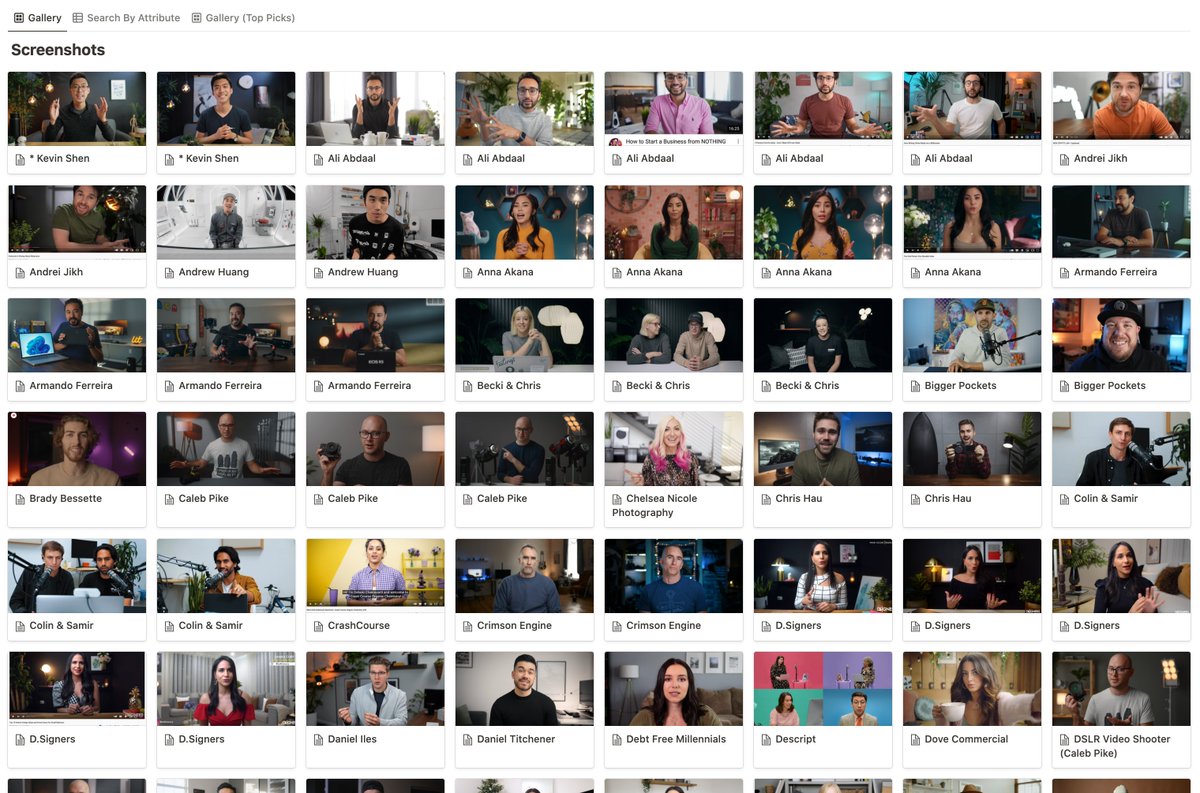
These are just a few examples I pulled from our Inspirations Library
It's a gallery of screenshots we've been collecting over time & one of the first steps we take every student/client through when designing a new studio.
It's a gallery of screenshots we've been collecting over time & one of the first steps we take every student/client through when designing a new studio.
11
If you're building a video studio for yourself, this is one of the most helpful tools. It'll help you better understand your own visual taste.
We just made it available free here!
✨ bit.ly/3Qsq2th
We just made it available free here!
✨ bit.ly/3Qsq2th
12
If you found this valuable, please consider sharing.
And MOST importantly... please give yourself a hug today. You deserve it. Love you fam😊
And MOST importantly... please give yourself a hug today. You deserve it. Love you fam😊
View Tweet