@autumnweeds: i’ve put together a guide for ...
@autumnweeds
11 views
May 13, 2026
Advertisement
1
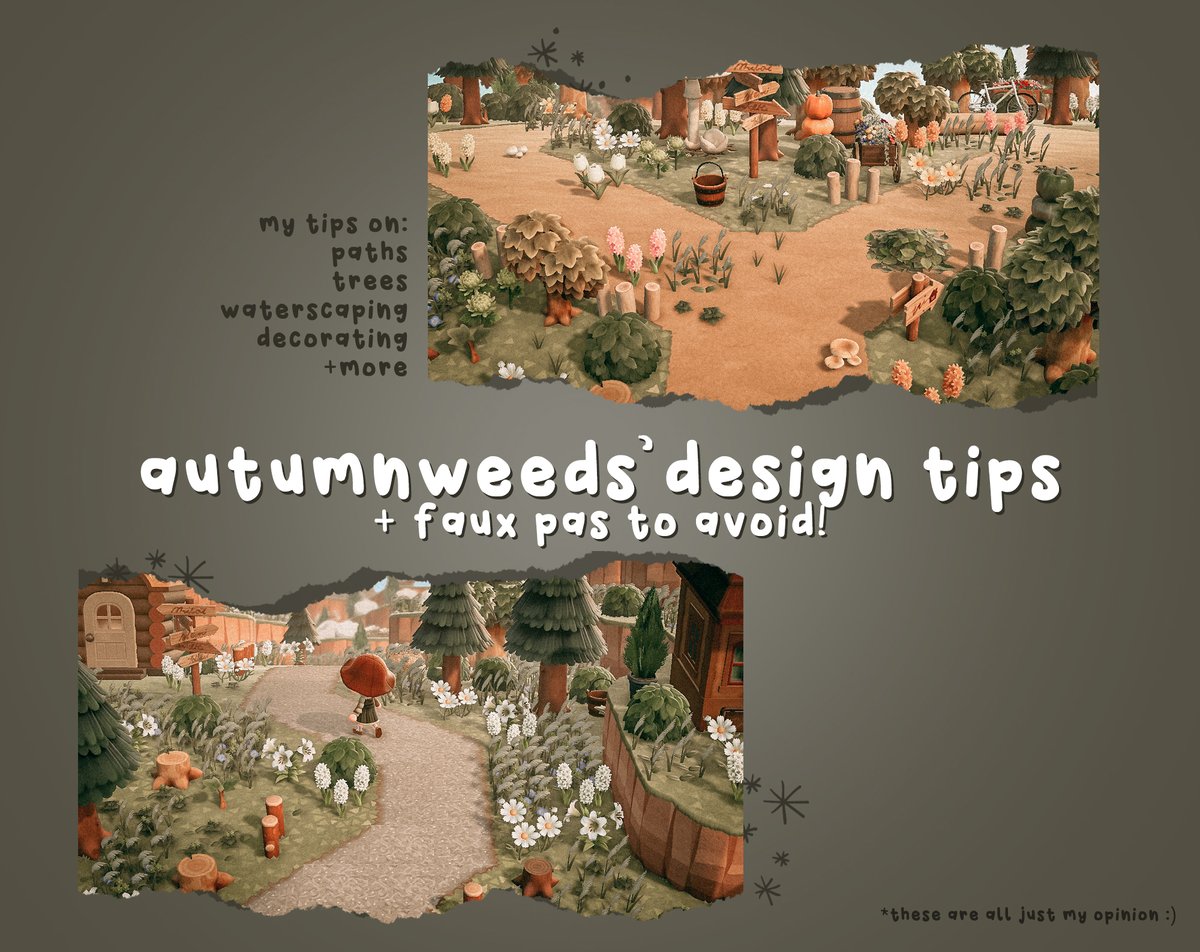
i’ve put together a guide for my most important tips & tricks for designing in animal crossing! 📚
i know nothing included here is revolutionary, but these are the most important tips i can give to new players looking to make a pretty island! i hope this is helpful 🤍
i know nothing included here is revolutionary, but these are the most important tips i can give to new players looking to make a pretty island! i hope this is helpful 🤍
2
🌲 trees: my first and most important tip is trees! i almost always use a 50/50 mix of hardwood and cedar trees in my builds. i’ve seen a lot of folks recently using only hardwood trees in their builds, which feels one-dimensional to me.

3
in addition, i always use a mix of tree growth stages—usually third and fourth stage trees, but sometimes 2nd stage trees too. to freeze a tree, just plant a fruit sapling in one of the surrounding 8 spaces next to the tree when it is at the desired growth stage.
4
✨stumps: if a tree hides your character when you’re walking through a path, cut it down and make a stump so you don’t feel “lost”. don’t forget using stumps to decorate! i feel they’re often overlooked and are such an underrated item to decorate with!

5
cut a tree down while it’s still growing to create “baby” stumps.
6
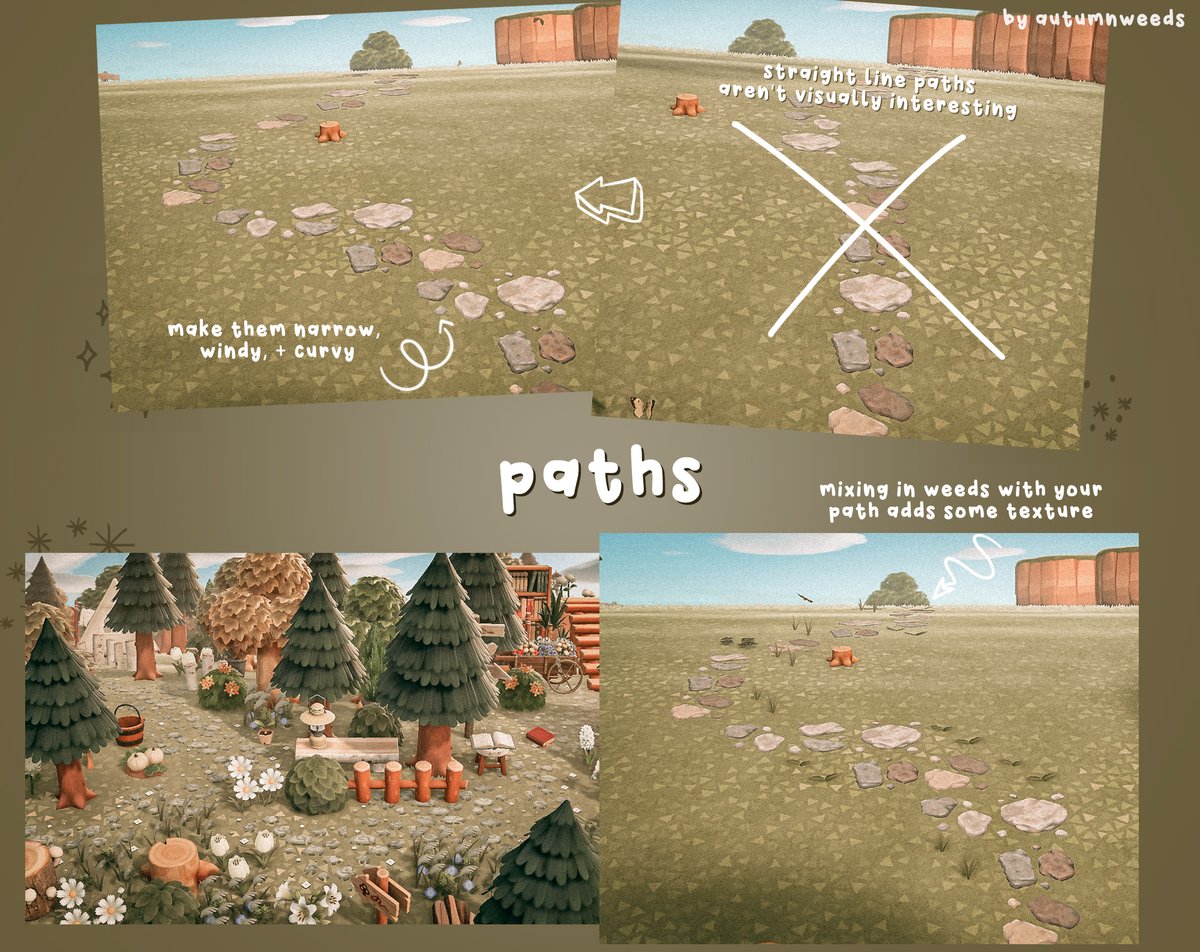
🍃paths: for natural islands, i always make a winding, curvy path, never a straight line from point a to point b. there are exceptions to this, but i also usually try to keep it as narrow as possible. incorporating weeds with your path can create texture!
7
🌷 “the path”: a good rule of thumb is to try to never use two of the same pieces next to each other. obviously this is impossible, but try to keep it in mind when laying the path. this will create the most natural shapes.

8
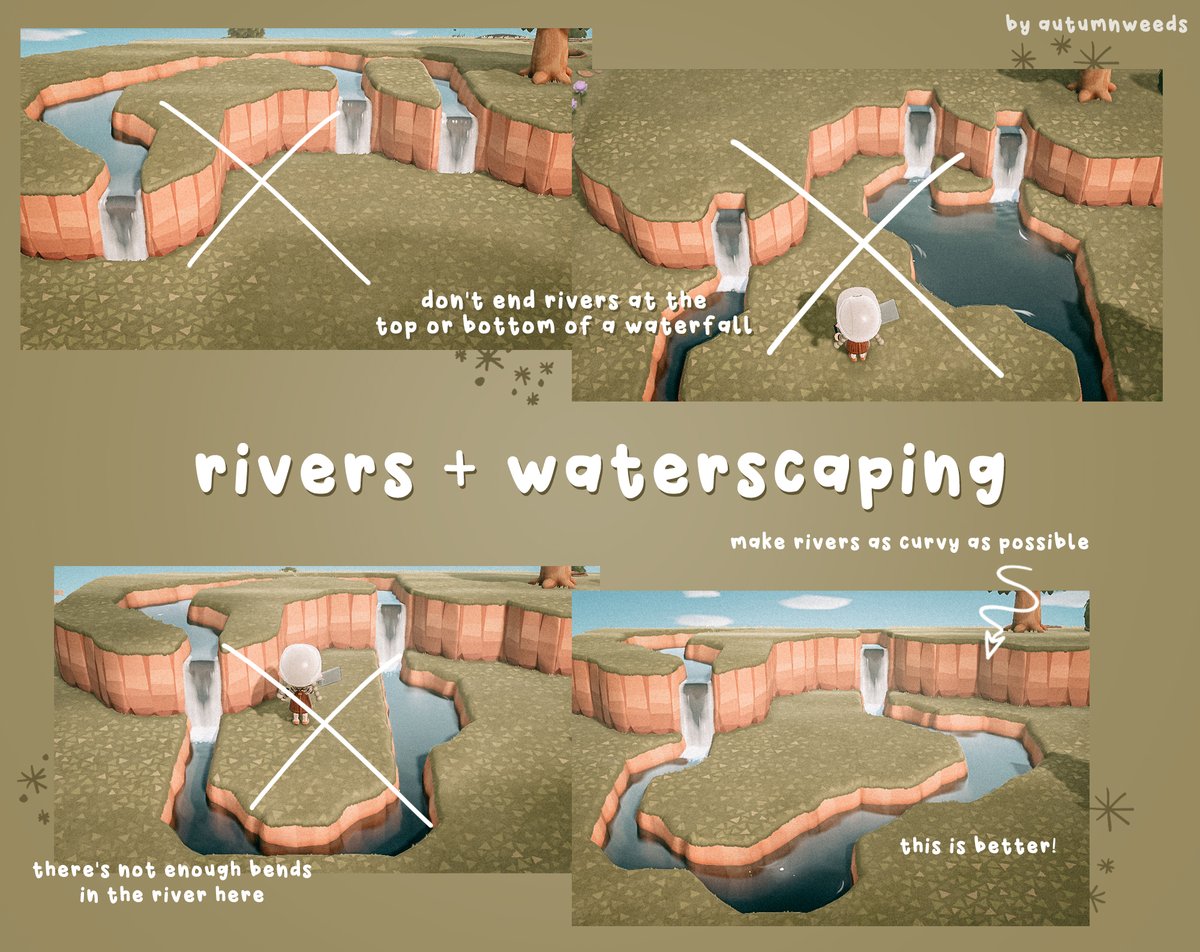
✨ rivers: don’t end your rivers at the top or bottom of a waterfall. it’s much more natural and beautiful to continue it from both sides rather than just have it end. make your rivers as curvy as you can. straight lines are not visually interesting!
9
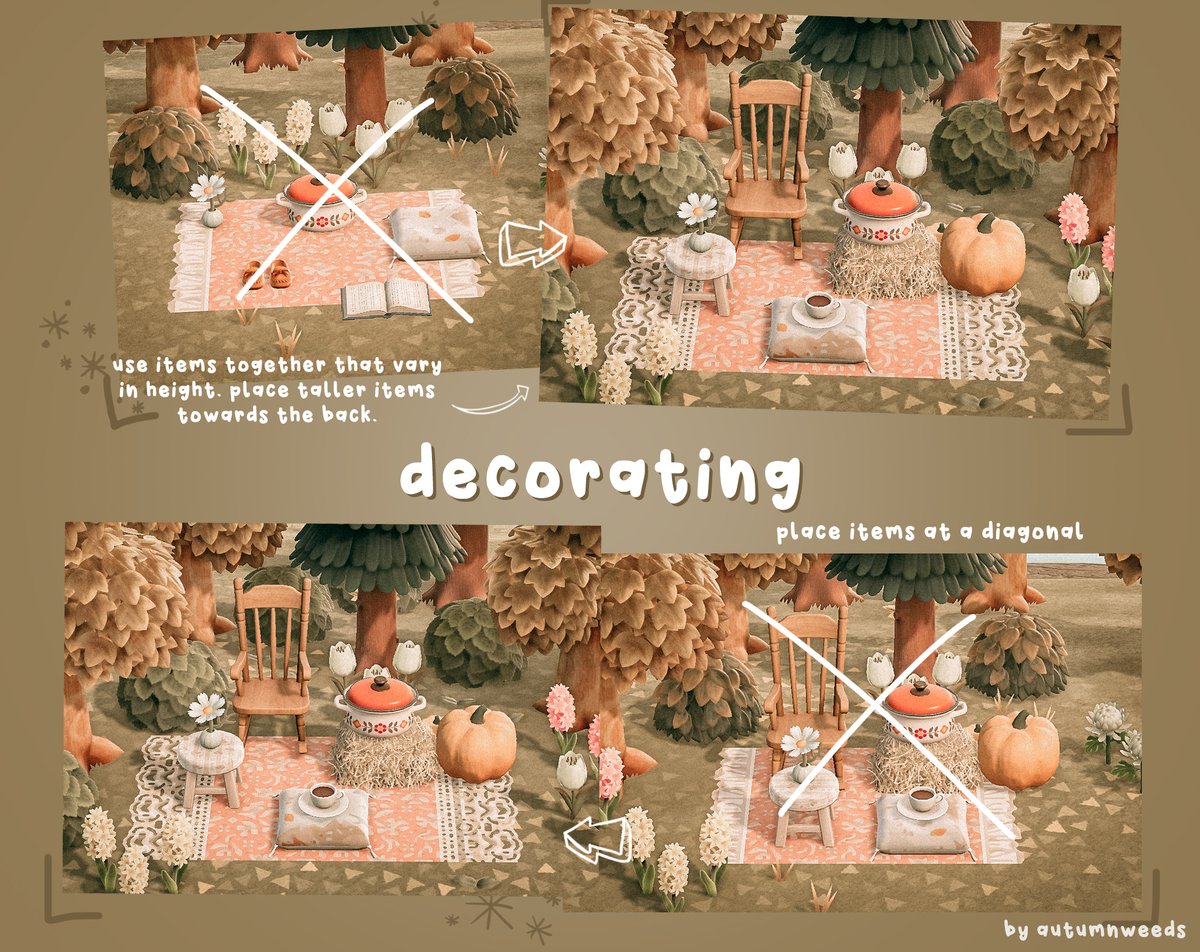
☕️ placing items: use items together that vary in height. try to place taller items towards the back of a scene. additionally, where possible, place items diagonally from each other instead of all straight in a line.